


Page 36 - Computing E-Book Grade 3
P. 36
The City School  2021-2022


           Cropping Picture


           When you crop an image, a part of the picture is removed. Cropping may be helpful

           when a picture has a lot of content and you want to focus on only part of it.


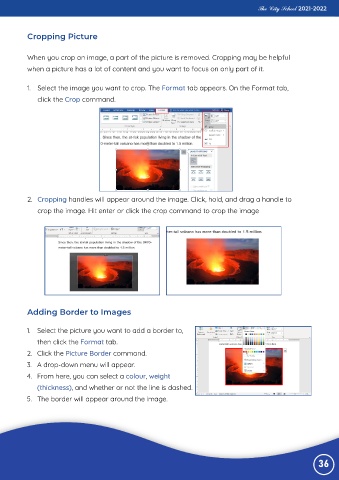
           1.  Select the image you want to crop. The Format tab appears. On the Format tab,

              click the Crop command.


           2.  Cropping handles will appear around the image. Click, hold, and drag a handle to

              crop the image. Hit enter or click the crop command to crop the image


           Adding Border to Images


          1.  Select the picture you want to add a border to,

              then click the Format tab.
          2.  Click the Picture Border command.

          3.  A drop-down menu will appear.
          4.  From here, you can select a colour, weight

              (thickness), and whether or not the line is dashed.
          5.  The border will appear around the image.


                                                                                                                 36

