


Page 35 - Computing E-Book Grade 3
P. 35
The City School  2021-2022


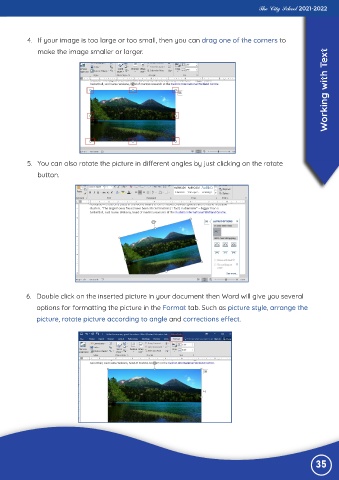
           4.  If your image is too large or too small, then you can drag one of the corners to
              make the image smaller or larger.
                                                                                                                    ext

                                                                                                                    Working with T


           5.  You can also rotate the picture in different angles by just clicking on the rotate
              button.


          6.  Double click on the inserted picture in your document then Word will give you several
              options for formatting the picture in the Format tab. Such as picture style, arrange the

              picture, rotate picture according to angle and corrections effect.


                                                                                                                35

