


Page 112 - Python Data Science Handbook
P. 112
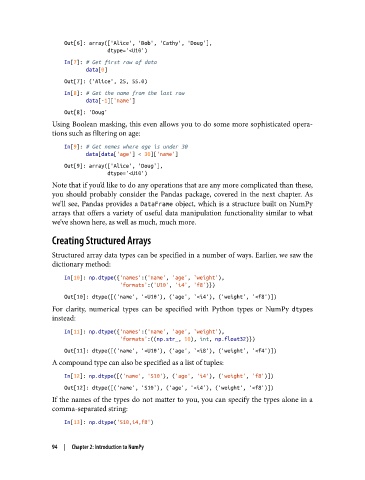
Out[6]: array(['Alice', 'Bob', 'Cathy', 'Doug'],
                                 dtype='<U10')
                   In[7]: # Get first row of data
                          data[0]

                   Out[7]: ('Alice', 25, 55.0)
                   In[8]: # Get the name from the last row
                          data[-1]['name']
                   Out[8]: 'Doug'
               Using Boolean masking, this even allows you to do some more sophisticated opera‐
               tions such as filtering on age:

                   In[9]: # Get names where age is under 30
                          data[data['age'] < 30]['name']
                   Out[9]: array(['Alice', 'Doug'],
                                 dtype='<U10')
               Note that if you’d like to do any operations that are any more complicated than these,
               you should probably consider the Pandas package, covered in the next chapter. As
               we’ll see, Pandas provides a DataFrame  object, which is a structure built on NumPy
               arrays that offers a variety of useful data manipulation functionality similar to what
               we’ve shown here, as well as much, much more.

               Creating Structured Arrays

               Structured array data types can be specified in a number of ways. Earlier, we saw the
               dictionary method:
                   In[10]: np.dtype({'names':('name', 'age', 'weight'),
                                     'formats':('U10', 'i4', 'f8')})
                   Out[10]: dtype([('name', '<U10'), ('age', '<i4'), ('weight', '<f8')])
               For clarity, numerical types can be specified with Python types or NumPy dtypes
               instead:
                   In[11]: np.dtype({'names':('name', 'age', 'weight'),
                                     'formats':((np.str_, 10), int, np.float32)})
                   Out[11]: dtype([('name', '<U10'), ('age', '<i8'), ('weight', '<f4')])
               A compound type can also be specified as a list of tuples:
                   In[12]: np.dtype([('name', 'S10'), ('age', 'i4'), ('weight', 'f8')])
                   Out[12]: dtype([('name', 'S10'), ('age', '<i4'), ('weight', '<f8')])
               If the names of the types do not matter to you, you can specify the types alone in a
               comma-separated string:
                   In[13]: np.dtype('S10,i4,f8')


               94  |  Chapter 2: Introduction to NumPy

