


Page 127 - Python Data Science Handbook
P. 127
In[8]: # slicing by implicit integer index
                          data[0:2]
                   Out[8]: a    0.25
                           b    0.50
                           dtype: float64
                   In[9]: # masking
                          data[(data > 0.3) & (data < 0.8)]
                   Out[9]: b    0.50
                           c    0.75
                           dtype: float64
                   In[10]: # fancy indexing
                           data[['a', 'e']]
                   Out[10]: a    0.25
                            e    1.25
                            dtype: float64
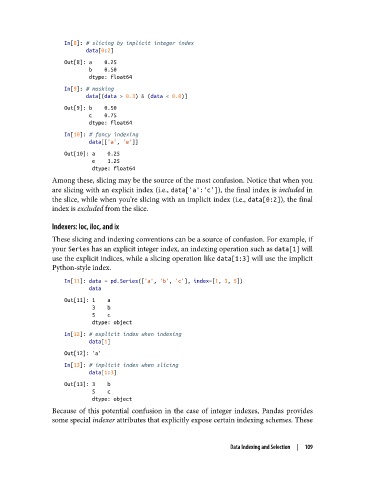
               Among these, slicing may be the source of the most confusion. Notice that when you
               are slicing with an explicit index (i.e., data['a':'c']), the final index is included in
               the slice, while when you’re slicing with an implicit index (i.e., data[0:2]), the final
               index is excluded from the slice.

               Indexers: loc, iloc, and ix
               These slicing and indexing conventions can be a source of confusion. For example, if
               your Series has an explicit integer index, an indexing operation such as data[1] will
               use the explicit indices, while a slicing operation like data[1:3] will use the implicit
               Python-style index.

                   In[11]: data = pd.Series(['a', 'b', 'c'], index=[1, 3, 5])
                           data
                   Out[11]: 1    a
                            3    b
                            5    c
                            dtype: object
                   In[12]: # explicit index when indexing
                           data[1]
                   Out[12]: 'a'
                   In[13]: # implicit index when slicing
                           data[1:3]
                   Out[13]: 3    b
                            5    c
                            dtype: object
               Because of this potential confusion in the case of integer indexes, Pandas provides
               some special indexer attributes that explicitly expose certain indexing schemes. These


                                                                 Data Indexing and Selection  |  109

