


Page 129 - Python Data Science Handbook
P. 129
In[18]: area = pd.Series({'California': 423967, 'Texas': 695662,
                                             'New York': 141297, 'Florida': 170312,
                                             'Illinois': 149995})
                           pop = pd.Series({'California': 38332521, 'Texas': 26448193,
                                            'New York': 19651127, 'Florida': 19552860,
                                            'Illinois': 12882135})
                           data = pd.DataFrame({'area':area, 'pop':pop})
                           data
                   Out[18]:             area    pop
                            California  423967  38332521
                            Florida     170312  19552860
                            Illinois    149995  12882135
                            New York    141297  19651127
                            Texas       695662  26448193
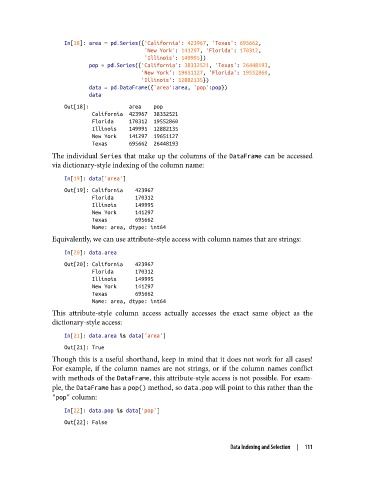
               The individual Series that make up the columns of the DataFrame can be accessed
               via dictionary-style indexing of the column name:
                   In[19]: data['area']
                   Out[19]: California    423967
                            Florida       170312
                            Illinois      149995
                            New York      141297
                            Texas         695662
                            Name: area, dtype: int64
               Equivalently, we can use attribute-style access with column names that are strings:

                   In[20]: data.area
                   Out[20]: California    423967
                            Florida       170312
                            Illinois      149995
                            New York      141297
                            Texas         695662
                            Name: area, dtype: int64
               This attribute-style column access actually accesses the exact same object as the
               dictionary-style access:
                   In[21]: data.area is data['area']
                   Out[21]: True
               Though this is a useful shorthand, keep in mind that it does not work for all cases!
               For example, if the column names are not strings, or if the column names conflict
               with methods of the DataFrame, this attribute-style access is not possible. For exam‐
               ple, the DataFrame has a pop() method, so data.pop will point to this rather than the
               "pop" column:
                   In[22]: data.pop is data['pop']
                   Out[22]: False


                                                                 Data Indexing and Selection  |  111

