


Page 126 - Python Data Science Handbook
P. 126
Out[1]: a    0.25
                           b    0.50
                           c    0.75
                           d    1.00
                           dtype: float64
                   In[2]: data['b']
                   Out[2]: 0.5
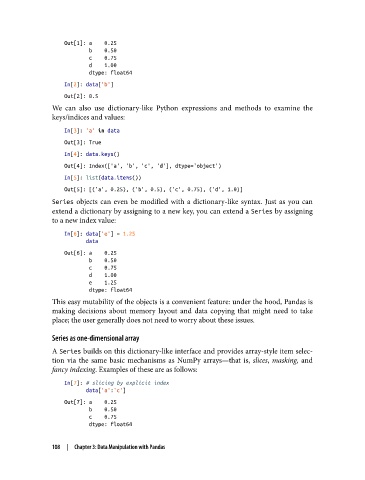
               We can also use dictionary-like Python expressions and methods to examine the
               keys/indices and values:

                   In[3]: 'a' in data
                   Out[3]: True
                   In[4]: data.keys()
                   Out[4]: Index(['a', 'b', 'c', 'd'], dtype='object')
                   In[5]: list(data.items())
                   Out[5]: [('a', 0.25), ('b', 0.5), ('c', 0.75), ('d', 1.0)]
               Series  objects can even be modified with a dictionary-like syntax. Just as you can
               extend a dictionary by assigning to a new key, you can extend a Series by assigning
               to a new index value:

                   In[6]: data['e'] = 1.25
                          data
                   Out[6]: a    0.25
                           b    0.50
                           c    0.75
                           d    1.00
                           e    1.25
                           dtype: float64
               This easy mutability of the objects is a convenient feature: under the hood, Pandas is
               making decisions about memory layout and data copying that might need to take
               place; the user generally does not need to worry about these issues.

               Series as one-dimensional array

               A Series builds on this dictionary-like interface and provides array-style item selec‐
               tion via the same basic mechanisms as NumPy arrays—that is, slices, masking, and
               fancy indexing. Examples of these are as follows:
                   In[7]: # slicing by explicit index
                          data['a':'c']
                   Out[7]: a    0.25
                           b    0.50
                           c    0.75
                           dtype: float64


               108  |  Chapter 3: Data Manipulation with Pandas

