


Page 125 - Python Data Science Handbook
P. 125
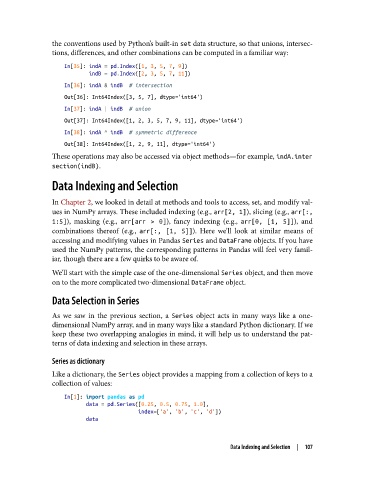
the conventions used by Python’s built-in set data structure, so that unions, intersec‐
               tions, differences, and other combinations can be computed in a familiar way:

                   In[35]: indA = pd.Index([1, 3, 5, 7, 9])
                           indB = pd.Index([2, 3, 5, 7, 11])
                   In[36]: indA & indB  # intersection
                   Out[36]: Int64Index([3, 5, 7], dtype='int64')
                   In[37]: indA | indB  # union
                   Out[37]: Int64Index([1, 2, 3, 5, 7, 9, 11], dtype='int64')
                   In[38]: indA ^ indB  # symmetric difference
                   Out[38]: Int64Index([1, 2, 9, 11], dtype='int64')
               These operations may also be accessed via object methods—for example, indA.inter
               section(indB).
               Data Indexing and Selection


               In Chapter 2, we looked in detail at methods and tools to access, set, and modify val‐
               ues in NumPy arrays. These included indexing (e.g., arr[2, 1]), slicing (e.g., arr[:,
               1:5]), masking (e.g., arr[arr > 0]), fancy indexing (e.g., arr[0, [1, 5]]), and
               combinations thereof (e.g., arr[:, [1, 5]]). Here we’ll look at similar means of
               accessing and modifying values in Pandas Series and DataFrame objects. If you have
               used the NumPy patterns, the corresponding patterns in Pandas will feel very famil‐
               iar, though there are a few quirks to be aware of.
               We’ll start with the simple case of the one-dimensional Series object, and then move
               on to the more complicated two-dimensional DataFrame object.
               Data Selection in Series


               As we saw in the previous section, a Series  object acts in many ways like a one-
               dimensional NumPy array, and in many ways like a standard Python dictionary. If we
               keep these two overlapping analogies in mind, it will help us to understand the pat‐
               terns of data indexing and selection in these arrays.

               Series as dictionary

               Like a dictionary, the Series object provides a mapping from a collection of keys to a
               collection of values:

                   In[1]: import pandas as pd
                          data = pd.Series([0.25, 0.5, 0.75, 1.0],
                                           index=['a', 'b', 'c', 'd'])
                          data


                                                                 Data Indexing and Selection  |  107

