


Page 130 - Python Data Science Handbook
P. 130
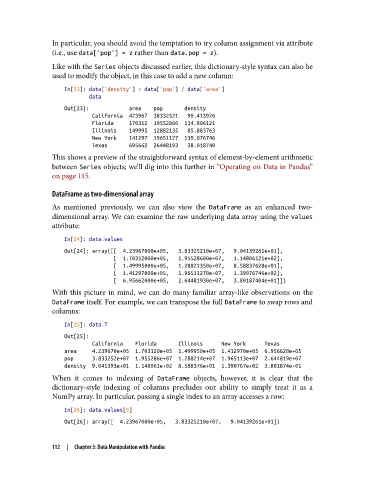
In particular, you should avoid the temptation to try column assignment via attribute
               (i.e., use data['pop'] = z rather than data.pop = z).

               Like with the Series objects discussed earlier, this dictionary-style syntax can also be
               used to modify the object, in this case to add a new column:

                   In[23]: data['density'] = data['pop'] / data['area']
                           data
                   Out[23]:             area    pop       density
                            California  423967  38332521   90.413926
                            Florida     170312  19552860  114.806121
                            Illinois    149995  12882135   85.883763
                            New York    141297  19651127  139.076746
                            Texas       695662  26448193   38.018740
               This shows a preview of the straightforward syntax of element-by-element arithmetic
               between Series objects; we’ll dig into this further in “Operating on Data in Pandas”
               on page 115.

               DataFrame as two-dimensional array

               As mentioned previously, we can also view the DataFrame  as an enhanced two-
               dimensional array. We can examine the raw underlying data array using the values
               attribute:

                   In[24]: data.values
                   Out[24]: array([[  4.23967000e+05,   3.83325210e+07,   9.04139261e+01],
                                   [  1.70312000e+05,   1.95528600e+07,   1.14806121e+02],
                                   [  1.49995000e+05,   1.28821350e+07,   8.58837628e+01],
                                   [  1.41297000e+05,   1.96511270e+07,   1.39076746e+02],
                                   [  6.95662000e+05,   2.64481930e+07,   3.80187404e+01]])
               With this picture in mind, we can do many familiar array-like observations on the
               DataFrame itself. For example, we can transpose the full DataFrame to swap rows and
               columns:
                   In[25]: data.T
                   Out[25]:
                            California    Florida       Illinois      New York      Texas
                   area     4.239670e+05  1.703120e+05  1.499950e+05  1.412970e+05  6.956620e+05
                   pop      3.833252e+07  1.955286e+07  1.288214e+07  1.965113e+07  2.644819e+07
                   density  9.041393e+01  1.148061e+02  8.588376e+01  1.390767e+02  3.801874e+01
               When it comes to indexing of DataFrame  objects, however, it is clear that the
               dictionary-style indexing of columns precludes our ability to simply treat it as a
               NumPy array. In particular, passing a single index to an array accesses a row:

                   In[26]: data.values[0]
                   Out[26]: array([  4.23967000e+05,   3.83325210e+07,   9.04139261e+01])


               112  |  Chapter 3: Data Manipulation with Pandas

