


Page 168 - Python Data Science Handbook
P. 168
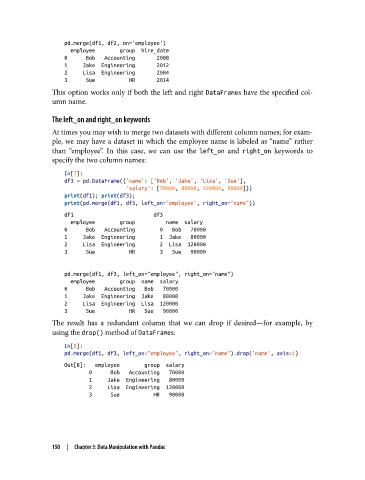
pd.merge(df1, df2, on='employee')
                     employee        group  hire_date
                   0      Bob   Accounting       2008
                   1     Jake  Engineering       2012
                   2     Lisa  Engineering       2004
                   3      Sue           HR       2014
               This option works only if both the left and right DataFrames have the specified col‐
               umn name.

               The left_on and right_on keywords
               At times you may wish to merge two datasets with different column names; for exam‐
               ple, we may have a dataset in which the employee name is labeled as “name” rather
               than “employee”. In this case, we can use the left_on  and right_on  keywords to
               specify the two column names:
                   In[7]:
                   df3 = pd.DataFrame({'name': ['Bob', 'Jake', 'Lisa', 'Sue'],
                                       'salary': [70000, 80000, 120000, 90000]})
                   print(df1); print(df3);
                   print(pd.merge(df1, df3, left_on="employee", right_on="name"))
                   df1                          df3
                     employee        group          name  salary
                   0      Bob   Accounting        0   Bob   70000
                   1     Jake  Engineering        1  Jake   80000
                   2     Lisa  Engineering        2  Lisa  120000
                   3      Sue           HR        3   Sue   90000


                   pd.merge(df1, df3, left_on="employee", right_on="name")
                     employee        group  name  salary
                   0      Bob   Accounting   Bob   70000
                   1     Jake  Engineering  Jake   80000
                   2     Lisa  Engineering  Lisa  120000
                   3      Sue           HR   Sue   90000
               The result has a redundant column that we can drop if desired—for example, by
               using the drop() method of DataFrames:

                   In[8]:
                   pd.merge(df1, df3, left_on="employee", right_on="name").drop('name', axis=1)
                   Out[8]:   employee        group  salary
                           0      Bob   Accounting   70000
                           1     Jake  Engineering   80000
                           2     Lisa  Engineering  120000
                           3      Sue           HR   90000


               150  |  Chapter 3: Data Manipulation with Pandas

