


Page 165 - Python Data Science Handbook
P. 165
relational algebra approach is that it proposes several primitive operations, which
               become the building blocks of more complicated operations on any dataset. With this
               lexicon of fundamental operations implemented efficiently in a database or other pro‐
               gram, a wide range of fairly complicated composite operations can be performed.

               Pandas implements several of these fundamental building blocks in the pd.merge()
               function and the related join()  method of Series  and DataFrames. As we will see,
               these let you efficiently link data from different sources.

               Categories of Joins

               The pd.merge()  function implements a number of types of joins: the one-to-one,
               many-to-one, and many-to-many  joins. All three types of joins are accessed via an
               identical call to the pd.merge() interface; the type of join performed depends on the
               form of the input data. Here we will show simple examples of the three types of
               merges, and discuss detailed options further below.

               One-to-one joins
               Perhaps the simplest type of merge expression is the one-to-one join, which is in
               many ways very similar to the column-wise concatenation seen in “Combining Data‐
               sets: Concat and Append” on page 141. As a concrete example, consider the following
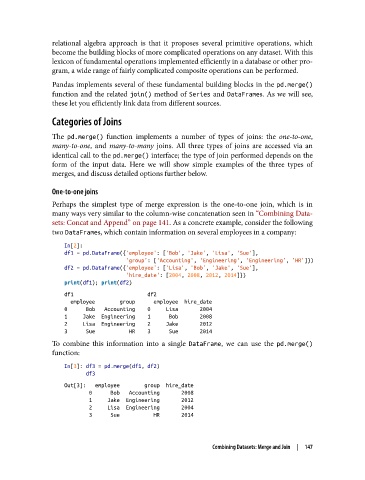
               two DataFrames, which contain information on several employees in a company:

                   In[2]:
                   df1 = pd.DataFrame({'employee': ['Bob', 'Jake', 'Lisa', 'Sue'],
                                       'group': ['Accounting', 'Engineering', 'Engineering', 'HR']})
                   df2 = pd.DataFrame({'employee': ['Lisa', 'Bob', 'Jake', 'Sue'],
                                       'hire_date': [2004, 2008, 2012, 2014]})
                   print(df1); print(df2)
                   df1                        df2
                     employee        group      employee  hire_date
                   0      Bob   Accounting    0     Lisa       2004
                   1     Jake  Engineering    1      Bob       2008
                   2     Lisa  Engineering    2     Jake       2012
                   3      Sue           HR    3      Sue       2014
               To combine this information into a single DataFrame, we can use the pd.merge()
               function:
                   In[3]: df3 = pd.merge(df1, df2)
                          df3
                   Out[3]:   employee        group  hire_date
                           0      Bob   Accounting       2008
                           1     Jake  Engineering       2012
                           2     Lisa  Engineering       2004
                           3      Sue           HR       2014


                                                            Combining Datasets: Merge and Join  |  147

