


Page 171 - Python Data Science Handbook
P. 171
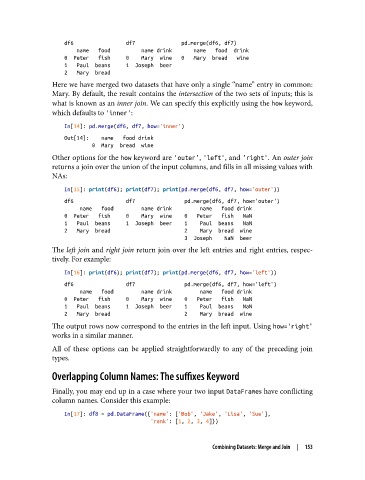
df6                 df7               pd.merge(df6, df7)
                       name   food          name drink       name   food  drink
                   0  Peter   fish     0    Mary  wine   0   Mary  bread   wine
                   1   Paul  beans     1  Joseph  beer
                   2   Mary  bread
               Here we have merged two datasets that have only a single “name” entry in common:
               Mary. By default, the result contains the intersection of the two sets of inputs; this is
               what is known as an inner join. We can specify this explicitly using the how keyword,
               which defaults to 'inner':

                   In[14]: pd.merge(df6, df7, how='inner')
                   Out[14]:    name   food drink
                            0  Mary  bread  wine
               Other options for the how keyword are 'outer', 'left', and 'right'. An outer join
               returns a join over the union of the input columns, and fills in all missing values with
               NAs:

                   In[15]: print(df6); print(df7); print(pd.merge(df6, df7, how='outer'))
                   df6                 df7                pd.merge(df6, df7, how='outer')
                        name   food         name drink         name   food drink
                   0  Peter   fish     0    Mary  wine    0   Peter   fish   NaN
                   1   Paul  beans     1  Joseph  beer    1    Paul  beans   NaN
                   2   Mary  bread                        2    Mary  bread  wine
                                                          3  Joseph    NaN  beer
               The left join and right join return join over the left entries and right entries, respec‐
               tively. For example:
                   In[16]: print(df6); print(df7); print(pd.merge(df6, df7, how='left'))
                   df6                 df7                pd.merge(df6, df7, how='left')
                        name   food         name drink         name   food drink
                   0  Peter   fish     0    Mary  wine    0   Peter   fish   NaN
                   1   Paul  beans     1  Joseph  beer    1    Paul  beans   NaN
                   2   Mary  bread                        2    Mary  bread  wine
               The output rows now correspond to the entries in the left input. Using how='right'
               works in a similar manner.
               All of these options can be applied straightforwardly to any of the preceding join
               types.

               Overlapping Column Names: The suffixes Keyword
               Finally, you may end up in a case where your two input DataFrames have conflicting
               column names. Consider this example:

                   In[17]: df8 = pd.DataFrame({'name': ['Bob', 'Jake', 'Lisa', 'Sue'],
                                               'rank': [1, 2, 3, 4]})


                                                            Combining Datasets: Merge and Join  |  153

