


Page 170 - Python Data Science Handbook
P. 170
df1a.join(df2a)
                                   group  hire_date
                   employee
                   Bob        Accounting       2008
                   Jake      Engineering       2012
                   Lisa      Engineering       2004
                   Sue                HR       2014
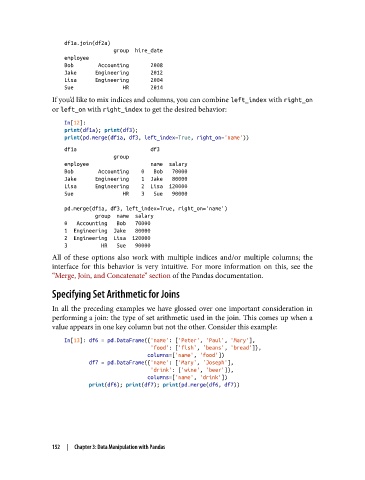
               If you’d like to mix indices and columns, you can combine left_index with right_on
               or left_on with right_index to get the desired behavior:

                   In[12]:
                   print(df1a); print(df3);
                   print(pd.merge(df1a, df3, left_index=True, right_on='name'))
                   df1a                        df3
                                   group
                   employee                    name  salary
                   Bob        Accounting    0   Bob   70000
                   Jake      Engineering    1  Jake   80000
                   Lisa      Engineering    2  Lisa  120000
                   Sue                HR    3   Sue   90000
                   pd.merge(df1a, df3, left_index=True, right_on='name')
                             group  name  salary
                   0   Accounting   Bob   70000
                   1  Engineering  Jake   80000
                   2  Engineering  Lisa  120000
                   3           HR   Sue   90000
               All of these options also work with multiple indices and/or multiple columns; the
               interface for this behavior is very intuitive. For more information on this, see the
               “Merge, Join, and Concatenate” section of the Pandas documentation.
               Specifying Set Arithmetic for Joins

               In all the preceding examples we have glossed over one important consideration in
               performing a join: the type of set arithmetic used in the join. This comes up when a
               value appears in one key column but not the other. Consider this example:

                   In[13]: df6 = pd.DataFrame({'name': ['Peter', 'Paul', 'Mary'],
                                               'food': ['fish', 'beans', 'bread']},
                                              columns=['name', 'food'])
                           df7 = pd.DataFrame({'name': ['Mary', 'Joseph'],
                                               'drink': ['wine', 'beer']},
                                              columns=['name', 'drink'])
                           print(df6); print(df7); print(pd.merge(df6, df7))


               152  |  Chapter 3: Data Manipulation with Pandas

