


Page 174 - Python Data Science Handbook
P. 174
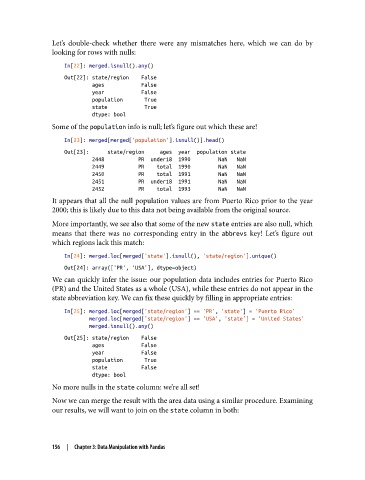
Let’s double-check whether there were any mismatches here, which we can do by
               looking for rows with nulls:

                   In[22]: merged.isnull().any()
                   Out[22]: state/region    False
                            ages            False
                            year            False
                            population       True
                            state            True
                            dtype: bool
               Some of the population info is null; let’s figure out which these are!

                   In[23]: merged[merged['population'].isnull()].head()
                   Out[23]:      state/region     ages  year  population state
                            2448           PR  under18  1990         NaN   NaN
                            2449           PR    total  1990         NaN   NaN
                            2450           PR    total  1991         NaN   NaN
                            2451           PR  under18  1991         NaN   NaN
                            2452           PR    total  1993         NaN   NaN
               It appears that all the null population values are from Puerto Rico prior to the year
               2000; this is likely due to this data not being available from the original source.

               More importantly, we see also that some of the new state entries are also null, which
               means that there was no corresponding entry in the abbrevs  key! Let’s figure out
               which regions lack this match:

                   In[24]: merged.loc[merged['state'].isnull(), 'state/region'].unique()
                   Out[24]: array(['PR', 'USA'], dtype=object)
               We can quickly infer the issue: our population data includes entries for Puerto Rico
               (PR) and the United States as a whole (USA), while these entries do not appear in the
               state abbreviation key. We can fix these quickly by filling in appropriate entries:

                   In[25]: merged.loc[merged['state/region'] == 'PR', 'state'] = 'Puerto Rico'
                           merged.loc[merged['state/region'] == 'USA', 'state'] = 'United States'
                           merged.isnull().any()
                   Out[25]: state/region    False
                            ages            False
                            year            False
                            population       True
                            state           False
                            dtype: bool
               No more nulls in the state column: we’re all set!
               Now we can merge the result with the area data using a similar procedure. Examining
               our results, we will want to join on the state column in both:


               156  |  Chapter 3: Data Manipulation with Pandas

