


Page 177 - Python Data Science Handbook
P. 177
explore aggregations in Pandas, from simple operations akin to what we’ve seen on
               NumPy arrays, to more sophisticated operations based on the concept of a groupby.

               Planets Data

               Here we will use the Planets dataset, available via the Seaborn package (see “Visuali‐
               zation with Seaborn” on page 311). It gives information on planets that astronomers
               have discovered around other stars (known as extrasolar planets  or exoplanets  for
               short). It can be downloaded with a simple Seaborn command:
                   In[2]: import seaborn as sns
                          planets = sns.load_dataset('planets')
                          planets.shape
                   Out[2]: (1035, 6)
                   In[3]: planets.head()
                   Out[3]:    method           number  orbital_period  mass   distance  year
                           0  Radial Velocity  1       269.300         7.10   77.40     2006
                           1  Radial Velocity  1       874.774         2.21   56.95     2008
                           2  Radial Velocity  1       763.000         2.60   19.84     2011
                           3  Radial Velocity  1       326.030         19.40  110.62    2007
                           4  Radial Velocity  1       516.220         10.50  119.47    2009
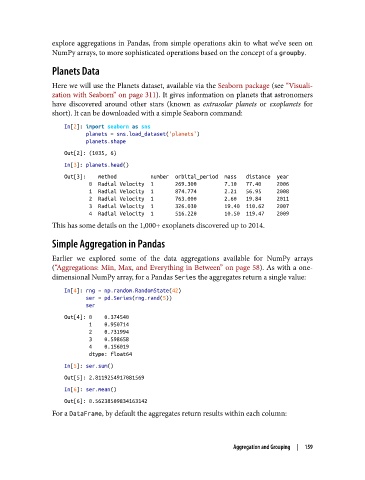
               This has some details on the 1,000+ exoplanets discovered up to 2014.

               Simple Aggregation in Pandas

               Earlier we explored some of the data aggregations available for NumPy arrays
               (“Aggregations: Min, Max, and Everything in Between” on page 58). As with a one-
               dimensional NumPy array, for a Pandas Series the aggregates return a single value:

                   In[4]: rng = np.random.RandomState(42)
                          ser = pd.Series(rng.rand(5))
                          ser
                   Out[4]: 0    0.374540
                           1    0.950714
                           2    0.731994
                           3    0.598658
                           4    0.156019
                           dtype: float64
                   In[5]: ser.sum()
                   Out[5]: 2.8119254917081569
                   In[6]: ser.mean()
                   Out[6]: 0.56238509834163142
               For a DataFrame, by default the aggregates return results within each column:


                                                                 Aggregation and Grouping  |  159

