


Page 189 - Python Data Science Handbook
P. 189
Pivot Tables by Hand

               To start learning more about this data, we might begin by grouping it according to
               gender, survival status, or some combination thereof. If you have read the previous
               section, you might be tempted to apply a GroupBy operation—for example, let’s look
               at survival rate by gender:

                   In[3]: titanic.groupby('sex')[['survived']].mean()
                   Out[3]:        survived
                           sex
                           female  0.742038
                           male    0.188908
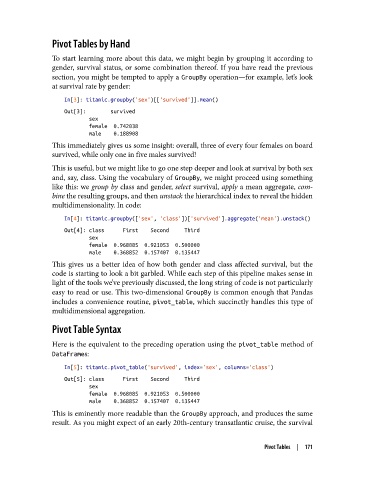
               This immediately gives us some insight: overall, three of every four females on board
               survived, while only one in five males survived!
               This is useful, but we might like to go one step deeper and look at survival by both sex
               and, say, class. Using the vocabulary of GroupBy, we might proceed using something
               like this: we group by class and gender, select survival, apply a mean aggregate, com‐
               bine the resulting groups, and then unstack the hierarchical index to reveal the hidden
               multidimensionality. In code:

                   In[4]: titanic.groupby(['sex', 'class'])['survived'].aggregate('mean').unstack()
                   Out[4]: class      First    Second     Third
                           sex
                           female  0.968085  0.921053  0.500000
                           male    0.368852  0.157407  0.135447
               This gives us a better idea of how both gender and class affected survival, but the
               code is starting to look a bit garbled. While each step of this pipeline makes sense in
               light of the tools we’ve previously discussed, the long string of code is not particularly
               easy to read or use. This two-dimensional GroupBy  is common enough that Pandas
               includes a convenience routine, pivot_table, which succinctly handles this type of
               multidimensional aggregation.

               Pivot Table Syntax
               Here is the equivalent to the preceding operation using the pivot_table method of
               DataFrames:

                   In[5]: titanic.pivot_table('survived', index='sex', columns='class')
                   Out[5]: class      First    Second     Third
                           sex
                           female  0.968085  0.921053  0.500000
                           male    0.368852  0.157407  0.135447
               This is eminently more readable than the GroupBy approach, and produces the same
               result. As you might expect of an early 20th-century transatlantic cruise, the survival


                                                                          Pivot Tables  |  171

