


Page 24 - Python Data Science Handbook
P. 24
Using ? and/or ?? gives a powerful and quick interface for finding information about
               what any Python function or module does.

               Exploring Modules with Tab Completion

               IPython’s other useful interface is the use of the Tab key for autocompletion and
               exploration of the contents of objects, modules, and namespaces. In the examples that
               follow, we’ll use <TAB> to indicate when the Tab key should be pressed.

               Tab completion of object contents
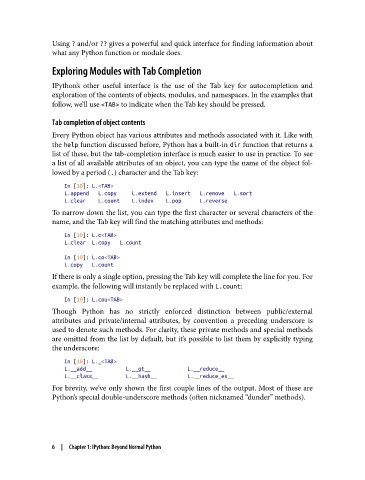
               Every Python object has various attributes and methods associated with it. Like with
               the help function discussed before, Python has a built-in dir function that returns a
               list of these, but the tab-completion interface is much easier to use in practice. To see
               a list of all available attributes of an object, you can type the name of the object fol‐
               lowed by a period (.) character and the Tab key:

                   In [10]: L.<TAB>
                   L.append   L.copy     L.extend   L.insert   L.remove   L.sort
                   L.clear    L.count    L.index    L.pop      L.reverse
               To narrow down the list, you can type the first character or several characters of the
               name, and the Tab key will find the matching attributes and methods:

                   In [10]: L.c<TAB>
                   L.clear  L.copy   L.count

                   In [10]: L.co<TAB>
                   L.copy   L.count
               If there is only a single option, pressing the Tab key will complete the line for you. For
               example, the following will instantly be replaced with L.count:

                   In [10]: L.cou<TAB>
               Though Python has no strictly enforced distinction between public/external
               attributes and private/internal attributes, by convention a preceding underscore is
               used to denote such methods. For clarity, these private methods and special methods
               are omitted from the list by default, but it’s possible to list them by explicitly typing
               the underscore:

                   In [10]: L._<TAB>
                   L.__add__           L.__gt__            L.__reduce__
                   L.__class__         L.__hash__          L.__reduce_ex__
               For brevity, we’ve only shown the first couple lines of the output. Most of these are
               Python’s special double-underscore methods (often nicknamed “dunder” methods).


               6  |  Chapter 1: IPython: Beyond Normal Python

