


Page 295 - Python Data Science Handbook
P. 295
We’ll now show a few examples of setting these locators and formatters for various
               plots.

               Hiding Ticks or Labels

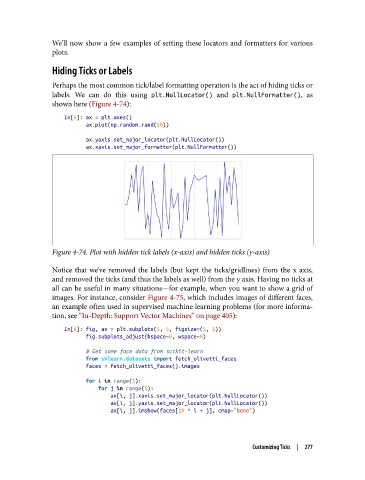
               Perhaps the most common tick/label formatting operation is the act of hiding ticks or
               labels. We can do this using plt.NullLocator()  and plt.NullFormatter(), as
               shown here (Figure 4-74):

                   In[5]: ax = plt.axes()
                          ax.plot(np.random.rand(50))

                          ax.yaxis.set_major_locator(plt.NullLocator())
                          ax.xaxis.set_major_formatter(plt.NullFormatter())


               Figure 4-74. Plot with hidden tick labels (x-axis) and hidden ticks (y-axis)


               Notice that we’ve removed the labels (but kept the ticks/gridlines) from the x axis,
               and removed the ticks (and thus the labels as well) from the y axis. Having no ticks at
               all can be useful in many situations—for example, when you want to show a grid of
               images. For instance, consider Figure 4-75, which includes images of different faces,
               an example often used in supervised machine learning problems (for more informa‐
               tion, see “In-Depth: Support Vector Machines” on page 405):
                   In[6]: fig, ax = plt.subplots(5, 5, figsize=(5, 5))
                          fig.subplots_adjust(hspace=0, wspace=0)

                          # Get some face data from scikit-learn
                          from sklearn.datasets import fetch_olivetti_faces
                          faces = fetch_olivetti_faces().images

                          for i in range(5):
                              for j in range(5):
                                  ax[i, j].xaxis.set_major_locator(plt.NullLocator())
                                  ax[i, j].yaxis.set_major_locator(plt.NullLocator())
                                  ax[i, j].imshow(faces[10 * i + j], cmap="bone")


                                                                       Customizing Ticks  |  277

