


Page 44 - Python Data Science Handbook
P. 44
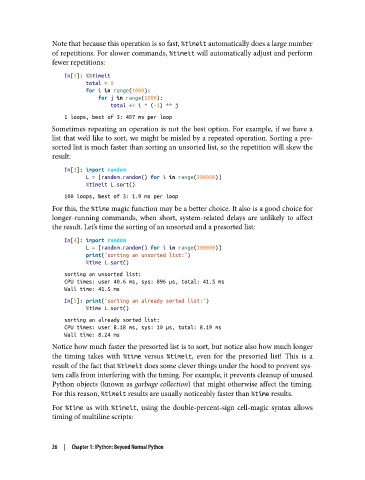
Note that because this operation is so fast, %timeit automatically does a large number
               of repetitions. For slower commands, %timeit will automatically adjust and perform
               fewer repetitions:
                   In[2]: %%timeit
                          total = 0
                          for i in range(1000):
                              for j in range(1000):
                                  total += i * (-1) ** j
                   1 loops, best of 3: 407 ms per loop
               Sometimes repeating an operation is not the best option. For example, if we have a
               list that we’d like to sort, we might be misled by a repeated operation. Sorting a pre-
               sorted list is much faster than sorting an unsorted list, so the repetition will skew the
               result:

                   In[3]: import random
                          L = [random.random() for i in range(100000)]
                          %timeit L.sort()
                   100 loops, best of 3: 1.9 ms per loop
               For this, the %time magic function may be a better choice. It also is a good choice for
               longer-running commands, when short, system-related delays are unlikely to affect
               the result. Let’s time the sorting of an unsorted and a presorted list:

                   In[4]: import random
                          L = [random.random() for i in range(100000)]
                          print("sorting an unsorted list:")
                          %time L.sort()
                   sorting an unsorted list:
                   CPU times: user 40.6 ms, sys: 896 µs, total: 41.5 ms
                   Wall time: 41.5 ms
                   In[5]: print("sorting an already sorted list:")
                          %time L.sort()
                   sorting an already sorted list:
                   CPU times: user 8.18 ms, sys: 10 µs, total: 8.19 ms
                   Wall time: 8.24 ms
               Notice how much faster the presorted list is to sort, but notice also how much longer
               the timing takes with %time  versus %timeit, even for the presorted list! This is a
               result of the fact that %timeit does some clever things under the hood to prevent sys‐
               tem calls from interfering with the timing. For example, it prevents cleanup of unused
               Python objects (known as garbage collection) that might otherwise affect the timing.
               For this reason, %timeit results are usually noticeably faster than %time results.

               For %time  as with %timeit, using the double-percent-sign cell-magic syntax allows
               timing of multiline scripts:


               26  |  Chapter 1: IPython: Beyond Normal Python

