


Page 45 - Python Data Science Handbook
P. 45
In[6]: %%time
                          total = 0
                          for i in range(1000):
                              for j in range(1000):
                                  total += i * (-1) ** j
                   CPU times: user 504 ms, sys: 979 µs, total: 505 ms
                   Wall time: 505 ms
               For more information on %time  and %timeit, as well as their available options, use
               the IPython help functionality (i.e., type %time? at the IPython prompt).

               Profiling Full Scripts: %prun
               A program is made of many single statements, and sometimes timing these state‐
               ments in context is more important than timing them on their own. Python contains
               a built-in code profiler (which you can read about in the Python documentation), but
               IPython offers a much more convenient way to use this profiler, in the form of the
               magic function %prun.
               By way of example, we’ll define a simple function that does some calculations:

                   In[7]: def sum_of_lists(N):
                              total = 0
                              for i in range(5):
                                  L = [j ^ (j >> i) for j in range(N)]
                                  total += sum(L)
                              return total
               Now we can call %prun with a function call to see the profiled results:
                   In[8]: %prun sum_of_lists(1000000)
               In the notebook, the output is printed to the pager, and looks something like this:

                   14 function calls in 0.714 seconds
                      Ordered by: internal time

                      ncalls  tottime  percall  cumtime  percall filename:lineno(function)
                           5    0.599    0.120    0.599    0.120 <ipython-input-19>:4(<listcomp>)
                           5    0.064    0.013    0.064    0.013 {built-in method sum}
                           1    0.036    0.036    0.699    0.699 <ipython-input-19>:1(sum_of_lists)
                           1    0.014    0.014    0.714    0.714 <string>:1(<module>)
                           1    0.000    0.000    0.714    0.714 {built-in method exec}
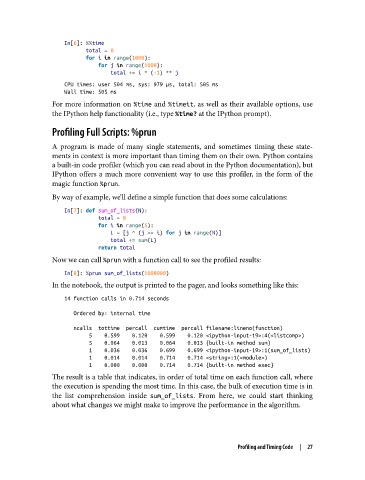
               The result is a table that indicates, in order of total time on each function call, where
               the execution is spending the most time. In this case, the bulk of execution time is in
               the list comprehension inside sum_of_lists. From here, we could start thinking
               about what changes we might make to improve the performance in the algorithm.


                                                                   Profiling and Timing Code  |  27

