


Page 70 - Python Data Science Handbook
P. 70
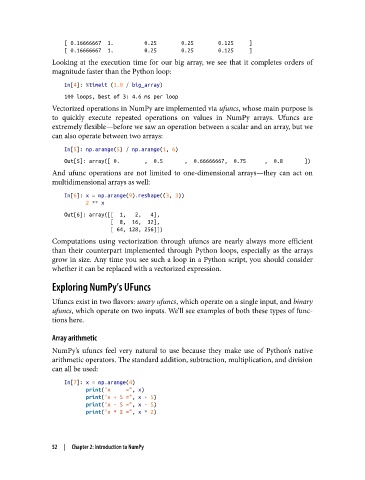
[ 0.16666667  1.          0.25        0.25        0.125     ]
                   [ 0.16666667  1.          0.25        0.25        0.125     ]
               Looking at the execution time for our big array, we see that it completes orders of
               magnitude faster than the Python loop:

                   In[4]: %timeit (1.0 / big_array)
                   100 loops, best of 3: 4.6 ms per loop
               Vectorized operations in NumPy are implemented via ufuncs, whose main purpose is
               to quickly execute repeated operations on values in NumPy arrays. Ufuncs are
               extremely flexible—before we saw an operation between a scalar and an array, but we
               can also operate between two arrays:

                   In[5]: np.arange(5) / np.arange(1, 6)
                   Out[5]: array([ 0.        ,  0.5       ,  0.66666667,  0.75      ,  0.8       ])
               And ufunc operations are not limited to one-dimensional arrays—they can act on
               multidimensional arrays as well:

                   In[6]: x = np.arange(9).reshape((3, 3))
                          2 ** x
                   Out[6]: array([[  1,   2,   4],
                                  [  8,  16,  32],
                                  [ 64, 128, 256]])
               Computations using vectorization through ufuncs are nearly always more efficient
               than their counterpart implemented through Python loops, especially as the arrays
               grow in size. Any time you see such a loop in a Python script, you should consider
               whether it can be replaced with a vectorized expression.

               Exploring NumPy’s UFuncs

               Ufuncs exist in two flavors: unary ufuncs, which operate on a single input, and binary
               ufuncs, which operate on two inputs. We’ll see examples of both these types of func‐
               tions here.

               Array arithmetic

               NumPy’s ufuncs feel very natural to use because they make use of Python’s native
               arithmetic operators. The standard addition, subtraction, multiplication, and division
               can all be used:
                   In[7]: x = np.arange(4)
                          print("x     =", x)
                          print("x + 5 =", x + 5)
                          print("x - 5 =", x - 5)
                          print("x * 2 =", x * 2)


               52  |  Chapter 2: Introduction to NumPy

