


Page 72 - Python Data Science Handbook
P. 72
Additionally there are Boolean/bitwise operators; we will explore these in “Compari‐
               sons, Masks, and Boolean Logic” on page 70.

               Absolute value
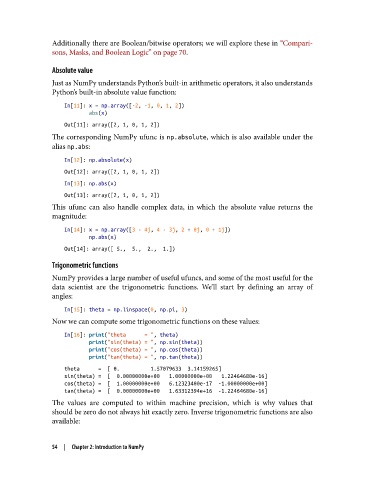
               Just as NumPy understands Python’s built-in arithmetic operators, it also understands
               Python’s built-in absolute value function:

                   In[11]: x = np.array([-2, -1, 0, 1, 2])
                           abs(x)
                   Out[11]: array([2, 1, 0, 1, 2])
               The corresponding NumPy ufunc is np.absolute, which is also available under the
               alias np.abs:

                   In[12]: np.absolute(x)
                   Out[12]: array([2, 1, 0, 1, 2])
                   In[13]: np.abs(x)
                   Out[13]: array([2, 1, 0, 1, 2])
               This ufunc can also handle complex data, in which the absolute value returns the
               magnitude:

                   In[14]: x = np.array([3 - 4j, 4 - 3j, 2 + 0j, 0 + 1j])
                           np.abs(x)
                   Out[14]: array([ 5.,  5.,  2.,  1.])

               Trigonometric functions
               NumPy provides a large number of useful ufuncs, and some of the most useful for the
               data scientist are the trigonometric functions. We’ll start by defining an array of
               angles:

                   In[15]: theta = np.linspace(0, np.pi, 3)
               Now we can compute some trigonometric functions on these values:

                   In[16]: print("theta      = ", theta)
                           print("sin(theta) = ", np.sin(theta))
                           print("cos(theta) = ", np.cos(theta))
                           print("tan(theta) = ", np.tan(theta))
                   theta      =  [ 0.          1.57079633  3.14159265]
                   sin(theta) =  [  0.00000000e+00   1.00000000e+00   1.22464680e-16]
                   cos(theta) =  [  1.00000000e+00   6.12323400e-17  -1.00000000e+00]
                   tan(theta) =  [  0.00000000e+00   1.63312394e+16  -1.22464680e-16]
               The values are computed to within machine precision, which is why values that
               should be zero do not always hit exactly zero. Inverse trigonometric functions are also
               available:


               54  |  Chapter 2: Introduction to NumPy

