


Page 74 - Python Data Science Handbook
P. 74
Specialized ufuncs

               NumPy has many more ufuncs available, including hyperbolic trig functions, bitwise
               arithmetic, comparison operators, conversions from radians to degrees, rounding and
               remainders, and much more. A look through the NumPy documentation reveals a lot
               of interesting functionality.

               Another excellent source for more specialized and obscure ufuncs is the submodule
               scipy.special. If you want to compute some obscure mathematical function on
               your data, chances are it is implemented in scipy.special. There are far too many
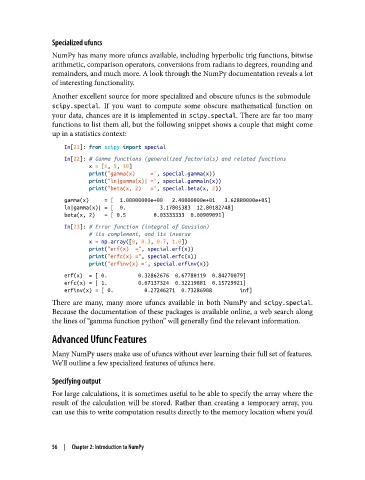
               functions to list them all, but the following snippet shows a couple that might come
               up in a statistics context:

                   In[21]: from scipy import special
                   In[22]: # Gamma functions (generalized factorials) and related functions
                           x = [1, 5, 10]
                           print("gamma(x)     =", special.gamma(x))
                           print("ln|gamma(x)| =", special.gammaln(x))
                           print("beta(x, 2)   =", special.beta(x, 2))
                   gamma(x)     = [  1.00000000e+00   2.40000000e+01   3.62880000e+05]
                   ln|gamma(x)| = [  0.           3.17805383  12.80182748]
                   beta(x, 2)   = [ 0.5         0.03333333  0.00909091]
                   In[23]: # Error function (integral of Gaussian)
                           # its complement, and its inverse
                           x = np.array([0, 0.3, 0.7, 1.0])
                           print("erf(x)  =", special.erf(x))
                           print("erfc(x) =", special.erfc(x))
                           print("erfinv(x) =", special.erfinv(x))
                   erf(x)  = [ 0.          0.32862676  0.67780119  0.84270079]
                   erfc(x) = [ 1.          0.67137324  0.32219881  0.15729921]
                   erfinv(x) = [ 0.          0.27246271  0.73286908         inf]
               There are many, many more ufuncs available in both NumPy and scipy.special.
               Because the documentation of these packages is available online, a web search along
               the lines of “gamma function python” will generally find the relevant information.

               Advanced Ufunc Features

               Many NumPy users make use of ufuncs without ever learning their full set of features.
               We’ll outline a few specialized features of ufuncs here.

               Specifying output
               For large calculations, it is sometimes useful to be able to specify the array where the
               result of the calculation will be stored. Rather than creating a temporary array, you
               can use this to write computation results directly to the memory location where you’d


               56  |  Chapter 2: Introduction to NumPy

