


Page 86 - Python Data Science Handbook
P. 86
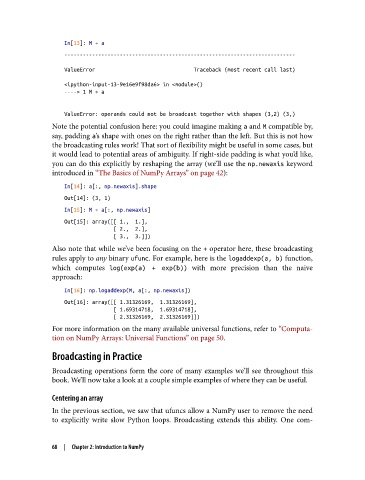
In[13]: M + a
                   ---------------------------------------------------------------------------
                   ValueError                                Traceback (most recent call last)

                   <ipython-input-13-9e16e9f98da6> in <module>()
                   ----> 1 M + a


                   ValueError: operands could not be broadcast together with shapes (3,2) (3,)
               Note the potential confusion here: you could imagine making a and M compatible by,
               say, padding a’s shape with ones on the right rather than the left. But this is not how
               the broadcasting rules work! That sort of flexibility might be useful in some cases, but
               it would lead to potential areas of ambiguity. If right-side padding is what you’d like,
               you can do this explicitly by reshaping the array (we’ll use the np.newaxis keyword
               introduced in “The Basics of NumPy Arrays” on page 42):

                   In[14]: a[:, np.newaxis].shape
                   Out[14]: (3, 1)
                   In[15]: M + a[:, np.newaxis]
                   Out[15]: array([[ 1.,  1.],
                                   [ 2.,  2.],
                                   [ 3.,  3.]])
               Also note that while we’ve been focusing on the + operator here, these broadcasting
               rules apply to any binary ufunc. For example, here is the logaddexp(a, b) function,
               which computes log(exp(a) + exp(b))    with more precision than the naive
               approach:

                   In[16]: np.logaddexp(M, a[:, np.newaxis])
                   Out[16]: array([[ 1.31326169,  1.31326169],
                                   [ 1.69314718,  1.69314718],
                                   [ 2.31326169,  2.31326169]])
               For more information on the many available universal functions, refer to “Computa‐
               tion on NumPy Arrays: Universal Functions” on page 50.

               Broadcasting in Practice

               Broadcasting operations form the core of many examples we’ll see throughout this
               book. We’ll now take a look at a couple simple examples of where they can be useful.


               Centering an array
               In the previous section, we saw that ufuncs allow a NumPy user to remove the need
               to explicitly write slow Python loops. Broadcasting extends this ability. One com‐


               68  |  Chapter 2: Introduction to NumPy

