


Page 60 - 18-868 SEO PowerSuite Workflow_VPMGC
P. 60
SEO Workflow


               Tip 2: Place keywords at the beginning of your title when you can. The closer

               your target keyword is to the beginning of your title tag, the more keyword-
               relevant your page will be considered by search engines. Try to always start your

               title with your keywords to emphasize their importance.


               Tip 3: Mention your location in the title to help local SEO. If relevant, include
               the name of your town or state in your title tag to show search engines which

               geo-specific searches your listing is most relevant to.


                   Step 3: Brush up your meta description


               Just like the title tag, meta description is an important indication to search
               engines of what the page is about. Meta descriptions are often used as preview

               snippets for sites’ listings in search results — so for pages with no meta
               descriptions, the snippet will include the content picked by search engines, which

               may be unclear and unappealing to searchers.


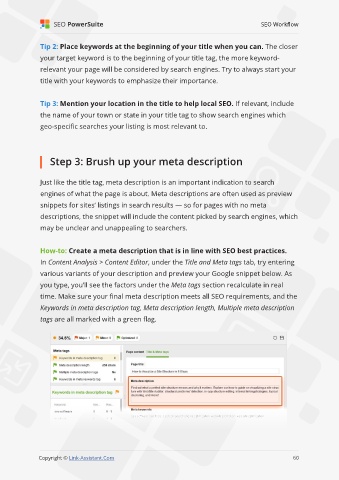
               How-to: Create a meta description that is in line with SEO best practices.
               In Content Analysis > Content Editor, under the Title and Meta tags tab, try entering

               various variants of your description and preview your Google snippet below. As
               you type, you’ll see the factors under the Meta tags section recalculate in real

               time. Make sure your final meta description meets all SEO requirements, and the
               Keywords in meta description tag, Meta description length, Multiple meta description

               tags are all marked with a green flag.


                                                                                                             60

               Copyright © Link-Assistant.Com                                                           60

