


Page 61 - 18-868 SEO PowerSuite Workflow_VPMGC
P. 61
SEO Workflow


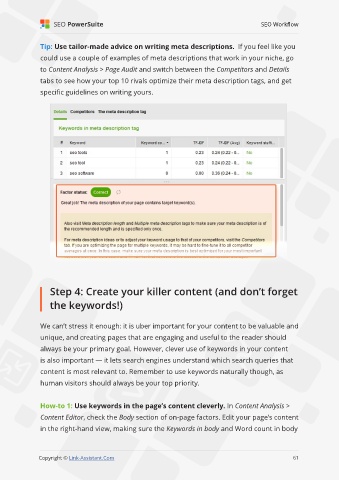
               Tip: Use tailor-made advice on writing meta descriptions.  If you feel like you

               could use a couple of examples of meta descriptions that work in your niche, go
               to Content Analysis > Page Audit and switch between the Competitors and Details

               tabs to see how your top 10 rivals optimize their meta description tags, and get
               specific guidelines on writing yours.


                   Step 4: Create your killer content (and don’t forget

                   the keywords!)


               We can’t stress it enough: it is uber important for your content to be valuable and

               unique, and creating pages that are engaging and useful to the reader should
               always be your primary goal. However, clever use of keywords in your content

               is also important — it lets search engines understand which search queries that
               content is most relevant to. Remember to use keywords naturally though, as

               human visitors should always be your top priority.


               How-to 1: Use keywords in the page’s content cleverly. In Content Analysis >
               Content Editor, check the Body section of on-page factors. Edit your page’s content

               in the right-hand view, making sure the Keywords in body and Word count in body


                                                                                                             61

               Copyright © Link-Assistant.Com                                                           61

