


Page 22 - MercNET User's Guide
P. 22
• •   Open Order Qty – Displays the number of items that have not been shipped
              • •   B/O – Displays Y (yes) or N (no) depending on if the item in on backorder
              • •   Requested Ship Date – Displays only if different than the order date
              • •   Estimated Availability Date – Displays the date an item will be available if it has not shipped
        Note: Estimated Availability date is an estimate and may change. Contact your account Representative for a
        more specific availability date.
              • •   Warehouse – Displays the warehouse from which the item will ship
              • •   Ship To – Displays the location to which the item will be shipped
              • •   Line Status – Displays the status of the line
                   o  Entered – Date line was entered and submitted to Mercury Marine
                   o  Booked – Line is ready for processing and allocation if product is available
                   o  Awaiting Shipping – Check reserved quantity at line level, if reserved, item is ready for
                       shipment, if not reserved will stay in this status until picked
                   o  Awaiting Receipt—Product is being shipped from another supplier and will be in this status
                       until the supplier ships and sends notification to Mercury at which time the line will move to a
                       closed status
                   o  Awaiting Return – Return request started, waiting for return of item
                   o  Awaiting Fulfillment — Line is a component of a kit and will be in this status as the order awaits
                       the components to be filled
                   o  Picked — Lines has dropped to the warehouse.  It is at this point that a delivery number is
                       assigned
                   o  Shipped — Lines have been shipped from the warehouse to the customer
                   o  Closed – Line invoiced
                   o  Cancelled – Line cancelled by customer or Mercury
              • •   Credit Hold – Displays a Y (yes) or N (no) depending on your credit status

        Cancel Backorder
        Cancel items that have not yet been shipped and are not on credit hold.
              1. Select item with a check mark in the Select column
              2. Update quantity to desired amount (zero if cancelling item) in the Order Qty column
              3. Select Update/Cancel

        Non-Active Parts Inquiry
        Non-Active Parts Inquiry is the place to look to find parts that are “No Longer Available” from Mercury, or are
        “Fully Superseded”, but may be for sale from other Mercury customers.
              • •   Select Non-Active Parts Inquiry from the Orders Menu
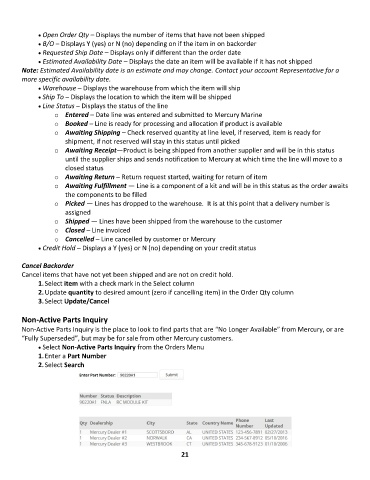
              1. Enter a Part Number
              2. Select Search


                                                             21

