


Page 26 - MercNET User's Guide
P. 26
11.  Enter line comments
        Note: Line comments are for your reference only.
               12.  Select Create Order
               13.  Update the Shipment Method (as needed)
               14.  Select Complete Order

        Service and Warranty

        View warranty information, service and parts bulletins, and product history; submit product registrations and
        warranty claims.

        Product History
        View product descriptions, open fix campaigns, registration information, and warranty history by serial
        number.
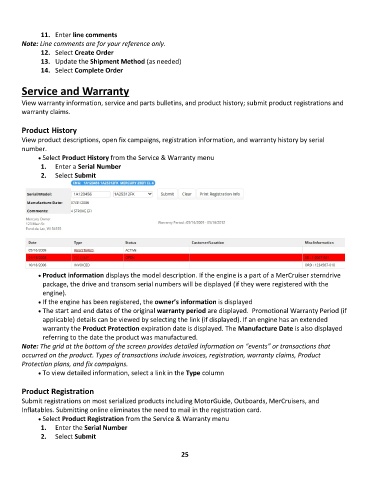
              • •   Select Product History from the Service & Warranty menu
               1.  Enter a Serial Number
               2.  Select Submit


              • •   Product information displays the model description. If the engine is a part of a MerCruiser sterndrive
               package, the drive and transom serial numbers will be displayed (if they were registered with the
               engine).
              • •   If the engine has been registered, the owner’s information is displayed
              • •   The start and end dates of the original warranty period are displayed.  Promotional Warranty Period (if
               applicable) details can be viewed by selecting the link (if displayed). If an engine has an extended
               warranty the Product Protection expiration date is displayed. The Manufacture Date is also displayed
               referring to the date the product was manufactured.
        Note: The grid at the bottom of the screen provides detailed information on “events” or transactions that
        occurred on the product. Types of transactions include invoices, registration, warranty claims, Product
        Protection plans, and fix campaigns.
              • •   To view detailed information, select a link in the Type column

        Product Registration
        Submit registrations on most serialized products including MotorGuide, Outboards, MerCruisers, and
        Inflatables. Submitting online eliminates the need to mail in the registration card.
              • •   Select Product Registration from the Service & Warranty menu
               1.  Enter the Serial Number
               2.  Select Submit


                                                             25

