


Page 24 - MercNET User's Guide
P. 24
Product Catalog
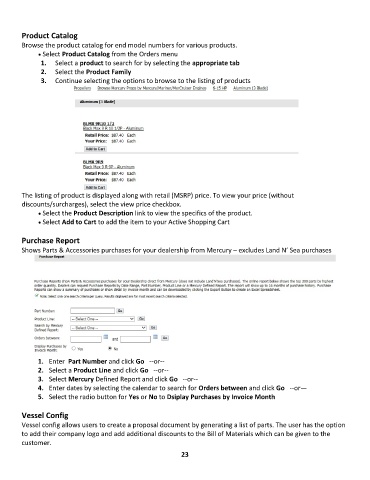
        Browse the product catalog for end model numbers for various products.
              • •   Select Product Catalog from the Orders menu
               1.  Select a product to search for by selecting the appropriate tab
               2.  Select the Product Family
               3.  Continue selecting the options to browse to the listing of products


        The listing of product is displayed along with retail (MSRP) price. To view your price (without
        discounts/surcharges), select the view price checkbox.
              • •   Select the Product Description link to view the specifics of the product.
              • •   Select Add to Cart to add the item to your Active Shopping Cart

        Purchase Report
        Shows Parts & Accessories purchases for your dealership from Mercury – excludes Land N’ Sea purchases


              1.  Enter  Part Number and click Go   --or--
              2.  Select a Product Line and click Go   --or--
              3.  Select Mercury Defined Report and click Go   --or--
              4.  Enter dates by selecting the calendar to search for Orders between and click Go   --or—
              5.  Select the radio button for Yes or No to Dsiplay Purchases by Invoice Month

        Vessel Config
        Vessel config allows users to create a proposal document by generating a list of parts. The user has the option
        to add their company logo and add additional discounts to the Bill of Materials which can be given to the
        customer.
                                                             23

