


Page 35 - MercNET User's Guide
P. 35
Technical Assistance
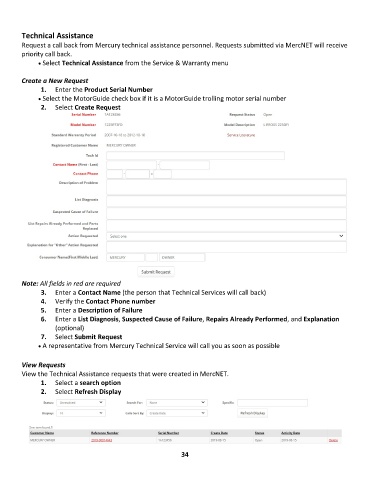
        Request a call back from Mercury technical assistance personnel. Requests submitted via MercNET will receive
        priority call back.
              • •   Select Technical Assistance from the Service & Warranty menu

        Create a New Request
               1.  Enter the Product Serial Number
              • •   Select the MotorGuide check box if it is a MotorGuide trolling motor serial number
               2.  Select Create Request


        Note: All fields in red are required
               3.  Enter a Contact Name (the person that Technical Services will call back)
               4.  Verify the Contact Phone number
               5.  Enter a Description of Failure
               6.  Enter a List Diagnosis, Suspected Cause of Failure, Repairs Already Performed, and Explanation
                   (optional)
               7.  Select Submit Request
              • •   A representative from Mercury Technical Service will call you as soon as possible


        View Requests
        View the Technical Assistance requests that were created in MercNET.
               1.  Select a search option
               2.  Select Refresh Display


                                                             34

