


Page 37 - MercNET User's Guide
P. 37
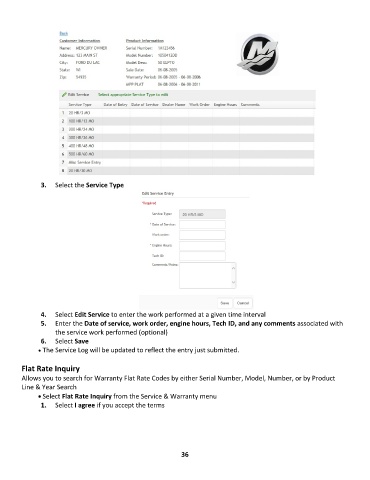
3.  Select the Service Type


               4.  Select Edit Service to enter the work performed at a given time interval
               5.  Enter the Date of service, work order, engine hours, Tech ID, and any comments associated with
                   the service work performed (optional)
               6.  Select Save
              • •   The Service Log will be updated to reflect the entry just submitted.

        Flat Rate Inquiry
        Allows you to search for Warranty Flat Rate Codes by either Serial Number, Model, Number, or by Product
        Line & Year Search
              • Select Flat Rate Inquiry from the Service & Warranty menu
               1 1. .    Select I agree if you accept the terms


                                                             36

