


Page 33 - MercNET User's Guide
P. 33
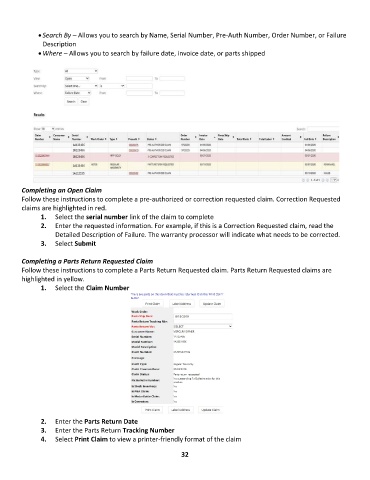
• Search By – Allows you to search by Name, Serial Number, Pre-Auth Number, Order Number, or Failure
               Description
              • Where – Allows you to search by failure date, invoice date, or parts shipped


        Completing an Open Claim
        Follow these instructions to complete a pre-authorized or correction requested claim. Correction Requested
        claims are highlighted in red.
               1.  Select the serial number link of the claim to complete
               2.  Enter the requested information. For example, if this is a Correction Requested claim, read the
                   Detailed Description of Failure. The warranty processor will indicate what needs to be corrected.
               3.  Select Submit

        Completing a Parts Return Requested Claim
        Follow these instructions to complete a Parts Return Requested claim. Parts Return Requested claims are
        highlighted in yellow.
               1.  Select the Claim Number


               2.  Enter the Parts Return Date
               3.  Enter the Parts Return Tracking Number
               4.  Select Print Claim to view a printer-friendly format of the claim

                                                             32

