


Page 18 - Computing book 6
P. 18
Analysing Data                                                                       Class 6


                   1.  Select the chart you want to modify.
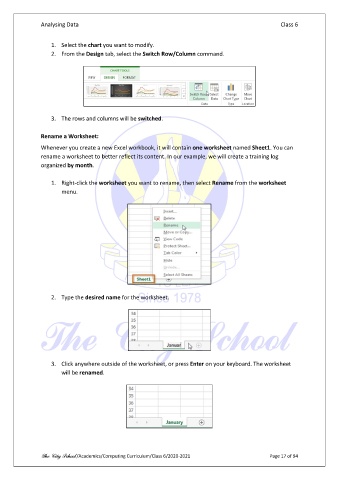
                   2.  From the Design tab, select the Switch Row/Column command.


                   3.  The rows and columns will be switched.

               Rename a Worksheet:

               Whenever you create a new Excel workbook, it will contain one worksheet named Sheet1. You can
               rename a worksheet to better reflect its content. In our example, we will create a training log
               organized by month.

                   1.  Right-click the worksheet you want to rename, then select Rename from the worksheet
                       menu.


                   2.  Type the desired name for the worksheet.


                   3.  Click anywhere outside of the worksheet, or press Enter on your keyboard. The worksheet
                       will be renamed.


               The City School /Academics/Computing Curriculum/Class 6/2020-2021                Page 17 of 94

