


Page 48 - Computing Book 4
P. 48
Spreadsheet Formatting                                                               Class 4


               Insert a Chart:

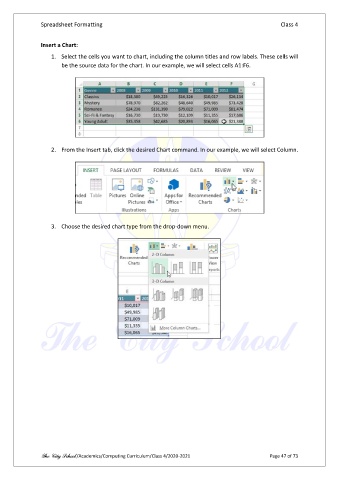
                   1.  Select the cells you want to chart, including the column titles and row labels. These cells will
                       be the source data for the chart. In our example, we will select cells A1:F6.


                   2.  From the Insert tab, click the desired Chart command. In our example, we will select Column.


                   3.  Choose the desired chart type from the drop-down menu.


               The City School /Academics/Computing Curriculum/Class 4/2020-2021                Page 47 of 73

