


Page 30 - Computing E-Book Grade 3
P. 30
The City School  2021-2022


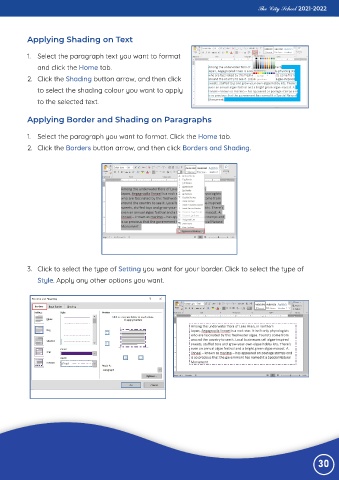
           Applying Shading on Text


           1.  Select the paragraph text you want to format

              and click the Home tab.
           2.  Click the Shading button arrow, and then click

              to select the shading colour you want to apply
              to the selected text.


           Applying Border and Shading on Paragraphs


           1.  Select the paragraph you want to format. Click the Home tab.
           2.  Click the Borders button arrow, and then click Borders and Shading.


           3.  Click to select the type of Setting you want for your border. Click to select the type of
              Style. Apply any other options you want.


                                                                                                                 30

