


Page 221 - Python Data Science Handbook
P. 221
In[34]:
                   # !curl -o FremontBridge.csv
                   # https://data.seattle.gov/api/views/65db-xm6k/rows.csv?accessType=DOWNLOAD
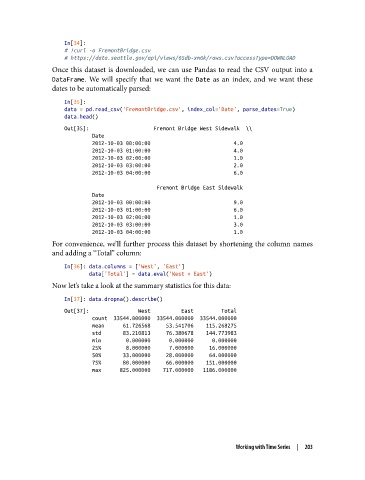
               Once this dataset is downloaded, we can use Pandas to read the CSV output into a
               DataFrame. We will specify that we want the Date  as an index, and we want these
               dates to be automatically parsed:

                   In[35]:
                   data = pd.read_csv('FremontBridge.csv', index_col='Date', parse_dates=True)
                   data.head()
                   Out[35]:                     Fremont Bridge West Sidewalk  \\
                            Date
                            2012-10-03 00:00:00                           4.0
                            2012-10-03 01:00:00                           4.0
                            2012-10-03 02:00:00                           1.0
                            2012-10-03 03:00:00                           2.0
                            2012-10-03 04:00:00                           6.0

                                                 Fremont Bridge East Sidewalk
                            Date
                            2012-10-03 00:00:00                           9.0
                            2012-10-03 01:00:00                           6.0
                            2012-10-03 02:00:00                           1.0
                            2012-10-03 03:00:00                           3.0
                            2012-10-03 04:00:00                           1.0
               For convenience, we’ll further process this dataset by shortening the column names
               and adding a “Total” column:
                   In[36]: data.columns = ['West', 'East']
                           data['Total'] = data.eval('West + East')
               Now let’s take a look at the summary statistics for this data:

                   In[37]: data.dropna().describe()
                   Out[37]:                West          East         Total
                            count  33544.000000  33544.000000  33544.000000
                            mean      61.726568     53.541706    115.268275
                            std       83.210813     76.380678    144.773983
                            min        0.000000      0.000000      0.000000
                            25%        8.000000      7.000000     16.000000
                            50%       33.000000     28.000000     64.000000
                            75%       80.000000     66.000000    151.000000
                            max      825.000000    717.000000   1186.000000


                                                                  Working with Time Series  |  203

