


Page 241 - Python Data Science Handbook
P. 241
these using the plt.gcf()  (get current figure) and plt.gca()  (get current axes)
               routines.
               While this stateful interface is fast and convenient for simple plots, it is easy to run
               into problems. For example, once the second panel is created, how can we go back
               and add something to the first? This is possible within the MATLAB-style interface,
               but a bit clunky. Fortunately, there is a better way.

               Object-oriented interface
               The object-oriented interface is available for these more complicated situations, and
               for when you want more control over your figure. Rather than depending on some
               notion of an “active” figure or axes, in the object-oriented interface the plotting func‐
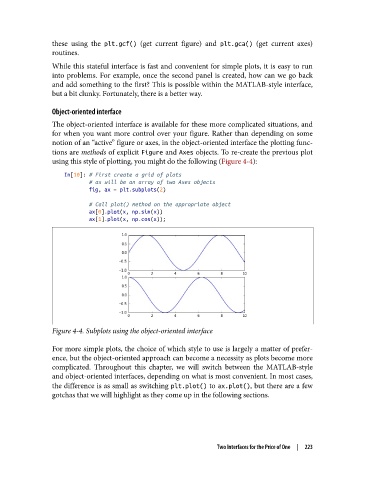
               tions are methods of explicit Figure and Axes objects. To re-create the previous plot
               using this style of plotting, you might do the following (Figure 4-4):

                   In[10]: # First create a grid of plots
                           # ax will be an array of two Axes objects
                           fig, ax = plt.subplots(2)

                           # Call plot() method on the appropriate object
                           ax[0].plot(x, np.sin(x))
                           ax[1].plot(x, np.cos(x));


               Figure 4-4. Subplots using the object-oriented interface

               For more simple plots, the choice of which style to use is largely a matter of prefer‐
               ence, but the object-oriented approach can become a necessity as plots become more
               complicated. Throughout this chapter, we will switch between the MATLAB-style
               and object-oriented interfaces, depending on what is most convenient. In most cases,
               the difference is as small as switching plt.plot() to ax.plot(), but there are a few
               gotchas that we will highlight as they come up in the following sections.


                                                             Two Interfaces for the Price of One  |  223

