


Page 245 - Python Data Science Handbook
P. 245
If no color is specified, Matplotlib will automatically cycle through a set of default
               colors for multiple lines.
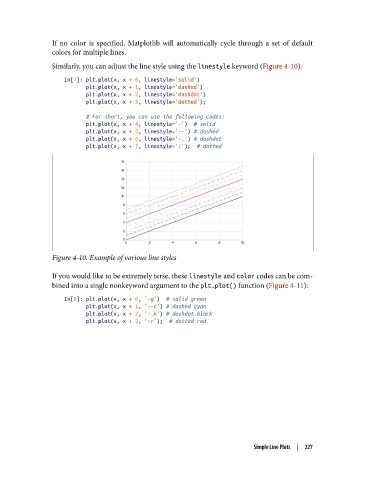
               Similarly, you can adjust the line style using the linestyle keyword (Figure 4-10):

                   In[7]: plt.plot(x, x + 0, linestyle='solid')
                          plt.plot(x, x + 1, linestyle='dashed')
                          plt.plot(x, x + 2, linestyle='dashdot')
                          plt.plot(x, x + 3, linestyle='dotted');

                          # For short, you can use the following codes:
                          plt.plot(x, x + 4, linestyle='-')  # solid
                          plt.plot(x, x + 5, linestyle='--') # dashed
                          plt.plot(x, x + 6, linestyle='-.') # dashdot
                          plt.plot(x, x + 7, linestyle=':');  # dotted


               Figure 4-10. Example of various line styles

               If you would like to be extremely terse, these linestyle and color codes can be com‐
               bined into a single nonkeyword argument to the plt.plot() function (Figure 4-11):

                   In[8]: plt.plot(x, x + 0, '-g')  # solid green
                          plt.plot(x, x + 1, '--c') # dashed cyan
                          plt.plot(x, x + 2, '-.k') # dashdot black
                          plt.plot(x, x + 3, ':r');  # dotted red


                                                                       Simple Line Plots  |  227

