


Page 262 - Python Data Science Handbook
P. 262
• plt.imshow()  will automatically adjust the axis aspect ratio to match the input
                   data; you can change this by setting, for example, plt.axis(aspect='image') to
                   make x and y units match.


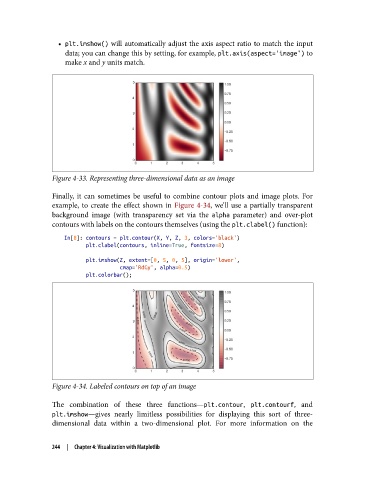
               Figure 4-33. Representing three-dimensional data as an image

               Finally, it can sometimes be useful to combine contour plots and image plots. For
               example, to create the effect shown in Figure 4-34, we’ll use a partially transparent
               background image (with transparency set via the alpha  parameter) and over-plot
               contours with labels on the contours themselves (using the plt.clabel() function):
                   In[8]: contours = plt.contour(X, Y, Z, 3, colors='black')
                          plt.clabel(contours, inline=True, fontsize=8)
                          plt.imshow(Z, extent=[0, 5, 0, 5], origin='lower',
                                     cmap='RdGy', alpha=0.5)
                          plt.colorbar();


               Figure 4-34. Labeled contours on top of an image

               The combination of these three functions—plt.contour, plt.contourf, and
               plt.imshow—gives nearly limitless possibilities for displaying this sort of three-
               dimensional data within a two-dimensional plot.  For more information on the


               244  |  Chapter 4: Visualization with Matplotlib

