


Page 78 - Python Data Science Handbook
P. 78
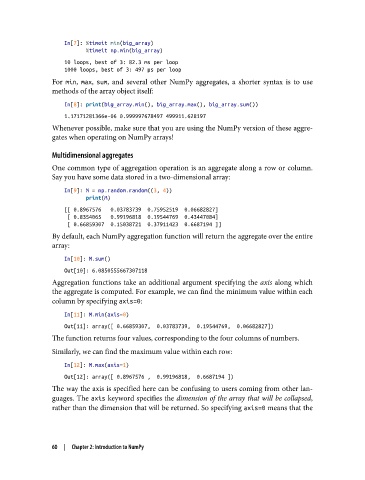
In[7]: %timeit min(big_array)
                          %timeit np.min(big_array)
                   10 loops, best of 3: 82.3 ms per loop
                   1000 loops, best of 3: 497 µs per loop
               For min, max, sum, and several other NumPy aggregates, a shorter syntax is to use
               methods of the array object itself:
                   In[8]: print(big_array.min(), big_array.max(), big_array.sum())

                   1.17171281366e-06 0.999997678497 499911.628197
               Whenever possible, make sure that you are using the NumPy version of these aggre‐
               gates when operating on NumPy arrays!

               Multidimensional aggregates
               One common type of aggregation operation is an aggregate along a row or column.
               Say you have some data stored in a two-dimensional array:
                   In[9]: M = np.random.random((3, 4))
                          print(M)
                   [[ 0.8967576   0.03783739  0.75952519  0.06682827]
                    [ 0.8354065   0.99196818  0.19544769  0.43447084]
                    [ 0.66859307  0.15038721  0.37911423  0.6687194 ]]
               By default, each NumPy aggregation function will return the aggregate over the entire
               array:

                   In[10]: M.sum()
                   Out[10]: 6.0850555667307118
               Aggregation functions take an additional argument specifying the axis  along which
               the aggregate is computed. For example, we can find the minimum value within each
               column by specifying axis=0:

                   In[11]: M.min(axis=0)
                   Out[11]: array([ 0.66859307,  0.03783739,  0.19544769,  0.06682827])
               The function returns four values, corresponding to the four columns of numbers.

               Similarly, we can find the maximum value within each row:
                   In[12]: M.max(axis=1)
                   Out[12]: array([ 0.8967576 ,  0.99196818,  0.6687194 ])
               The way the axis is specified here can be confusing to users coming from other lan‐
               guages. The axis keyword specifies the dimension of the array that will be collapsed,
               rather than the dimension that will be returned. So specifying axis=0 means that the


               60  |  Chapter 2: Introduction to NumPy

