


Page 66 - 18-868 SEO PowerSuite Workflow_VPMGC
P. 66
SEO Workflow


               elements for your keywords.


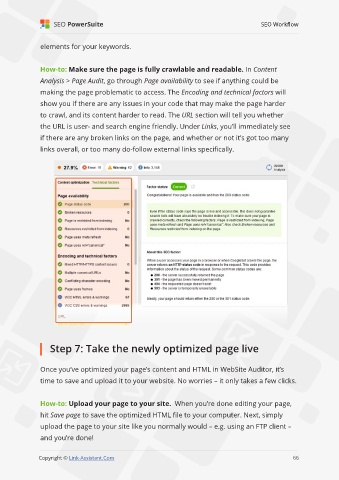
               How-to: Make sure the page is fully crawlable and readable. In Content

               Analysis > Page Audit, go through Page availability to see if anything could be
               making the page problematic to access. The Encoding and technical factors will

               show you if there are any issues in your code that may make the page harder
               to crawl, and its content harder to read. The URL section will tell you whether

               the URL is user- and search engine friendly. Under Links, you’ll immediately see
               if there are any broken links on the page, and whether or not it’s got too many

               links overall, or too many do-follow external links specifically.


                   Step 7: Take the newly optimized page live


               Once you’ve optimized your page’s content and HTML in WebSite Auditor, it’s
               time to save and upload it to your website. No worries – it only takes a few clicks.


               How-to: Upload your page to your site.  When you’re done editing your page,

               hit Save page to save the optimized HTML file to your computer. Next, simply
               upload the page to your site like you normally would – e.g. using an FTP client –

               and you’re done!
                                                                                                             66

               Copyright © Link-Assistant.Com                                                           66

