


Page 27 - MercNET User's Guide
P. 27
• •   Acceptable Parts – Only parts that have status of FNLA (fully no longer available) or FSS (fully
               superseded) are acceptable
              • •   Non-Acceptable Parts (ACT)– Parts that are still active and can be ordered from Mercury are not
               eligible for this program
                       1.  Select the Non-Acceptable Part
                       2.  Re-enter the Part Number or select the Delete check box
                       3.  Select Validate
              •  Unrecognized Parts (Invalid) – These parts have been entered incorrectly
                       1.  Select Unrecognized Part
                       2.  Re-enter the Part Number or select Delete
                       3.  Select Validate
                       4.  Select Add
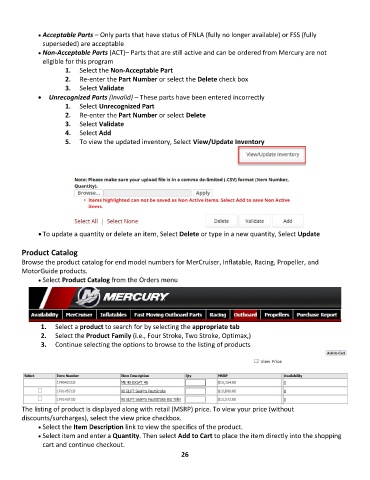
                       5.  To view the updated inventory, Select View/Update Inventory


              • To update a quantity or delete an item, Select Delete or type in a new quantity, Select Update

        Product Catalog
        Browse the product catalog for end model numbers for MerCruiser, Inflatable, Racing, Propeller, and
        MotorGuide products.
              • •   Select Product Catalog from the Orders menu


               1.  Select a product to search for by selecting the appropriate tab
               2.  Select the Product Family (i.e., Four Stroke, Two Stroke, Optimax,)
               3.  Continue selecting the options to browse to the listing of products


        The listing of product is displayed along with retail (MSRP) price. To view your price (without
        discounts/surcharges), select the view price checkbox.
              • •   Select the Item Description link to view the specifics of the product.
              • •   Select item and enter a Quantity. Then select Add to Cart to place the item directly into the shopping
               cart and continue checkout.
                                                             26

