


Page 42 - Computing Book 4
P. 42
Spreadsheet Formatting                                                               Class 4


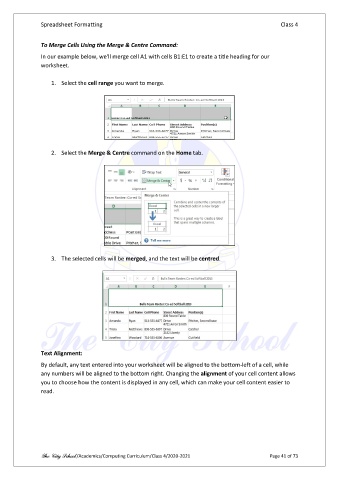
               To Merge Cells Using the Merge & Centre Command:

               In our example below, we'll merge cell A1 with cells B1:E1 to create a title heading for our
               worksheet.

                   1.  Select the cell range you want to merge.


                   2.  Select the Merge & Centre command on the Home tab.


                   3.  The selected cells will be merged, and the text will be centred.


               Text Alignment:
               By default, any text entered into your worksheet will be aligned to the bottom-left of a cell, while
               any numbers will be aligned to the bottom right. Changing the alignment of your cell content allows
               you to choose how the content is displayed in any cell, which can make your cell content easier to

               read.


               The City School /Academics/Computing Curriculum/Class 4/2020-2021                Page 41 of 73

