


Page 29 - Computing E-Book Grade 3
P. 29
The City School  2021-2022


           2.4.  Advanced Formatting in Word

                                                                           Checkpoint                               ext
           In this section, we will explore advanced text
           formatting techniques to make your document                 Microsoft Word 2016 is a word
                                                                       processing application that allows to
           look more professional and aesthetically                    create a variety of documents
                                                                       Font styles can be applied to draw
           pleasing.                                                   attention to various sections of text.       Working with T
                                                                       Indentation adds structure to the
                                                                       document.

           Applying Borders on Text


           To enhance the appearance of the text in a paragraph, you can quickly add a border

           and shading to selected text.

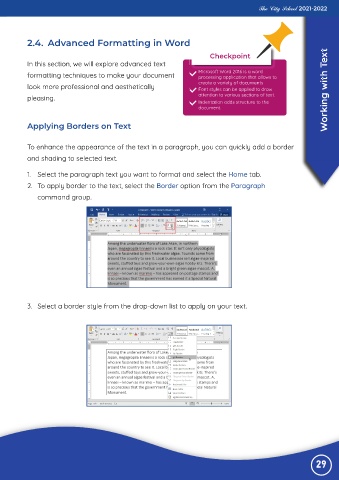
           1.  Select the paragraph text you want to format and select the Home tab.

           2.  To apply border to the text, select the Border option from the Paragraph
              command group.


           3.  Select a border style from the drop-down list to apply on your text.


                                                                                                                29

