


Page 249 - Python Data Science Handbook
P. 249
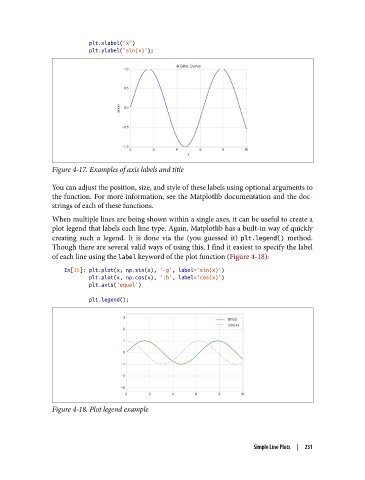
plt.xlabel("x")
                           plt.ylabel("sin(x)");


               Figure 4-17. Examples of axis labels and title

               You can adjust the position, size, and style of these labels using optional arguments to
               the function. For more information, see the Matplotlib documentation and the doc‐
               strings of each of these functions.

               When multiple lines are being shown within a single axes, it can be useful to create a
               plot legend that labels each line type. Again, Matplotlib has a built-in way of quickly
               creating such a legend. It is done via the (you guessed it) plt.legend()  method.
               Though there are several valid ways of using this, I find it easiest to specify the label
               of each line using the label keyword of the plot function (Figure 4-18):

                   In[15]: plt.plot(x, np.sin(x), '-g', label='sin(x)')
                           plt.plot(x, np.cos(x), ':b', label='cos(x)')
                           plt.axis('equal')

                           plt.legend();


               Figure 4-18. Plot legend example


                                                                       Simple Line Plots  |  231

