


Page 251 - Python Data Science Handbook
P. 251
Simple Scatter Plots


               Another commonly used plot type is the simple scatter plot, a close cousin of the line
               plot. Instead of points being joined by line segments, here the points are represented
               individually with a dot, circle, or other shape. We’ll start by setting up the notebook
               for plotting and importing the functions we will use:

                   In[1]: %matplotlib inline
                          import matplotlib.pyplot as plt
                          plt.style.use('seaborn-whitegrid')
                          import numpy as np
               Scatter Plots with plt.plot

               In the previous section, we looked at plt.plot/ax.plot to produce line plots. It turns
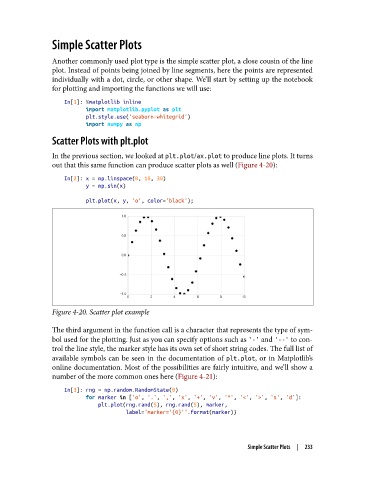
               out that this same function can produce scatter plots as well (Figure 4-20):
                   In[2]: x = np.linspace(0, 10, 30)
                          y = np.sin(x)
                          plt.plot(x, y, 'o', color='black');


               Figure 4-20. Scatter plot example

               The third argument in the function call is a character that represents the type of sym‐
               bol used for the plotting. Just as you can specify options such as '-' and '--' to con‐
               trol the line style, the marker style has its own set of short string codes. The full list of
               available symbols can be seen in the documentation of plt.plot, or in Matplotlib’s
               online documentation. Most of the possibilities are fairly intuitive, and we’ll show a
               number of the more common ones here (Figure 4-21):

                   In[3]: rng = np.random.RandomState(0)
                          for marker in ['o', '.', ',', 'x', '+', 'v', '^', '<', '>', 's', 'd']:
                              plt.plot(rng.rand(5), rng.rand(5), marker,
                                       label="marker='{0}'".format(marker))


                                                                     Simple Scatter Plots  |  233

