


Page 275 - Python Data Science Handbook
P. 275
Choosing the colormap

               A full treatment of color choice within visualization is beyond the scope of this book,
               but for entertaining reading on this subject and others, see the article “Ten Simple
               Rules for Better Figures”. Matplotlib’s online documentation also has an interesting
               discussion of colormap choice.

               Broadly, you should be aware of three different categories of colormaps:
               Sequential colormaps
                   These consist of one continuous sequence of colors (e.g., binary or viridis).
               Divergent colormaps
                   These usually contain two distinct colors, which show positive and negative devi‐
                   ations from a mean (e.g., RdBu or PuOr).
               Qualitative colormaps
                   These mix colors with no particular sequence (e.g., rainbow or jet).
               The jet  colormap, which was the default in Matplotlib prior to version 2.0, is an
               example of a qualitative colormap. Its status as the default was quite unfortunate,
               because qualitative maps are often a poor choice for representing quantitative data.
               Among the problems is the fact that qualitative maps usually do not display any uni‐
               form progression in brightness as the scale increases.

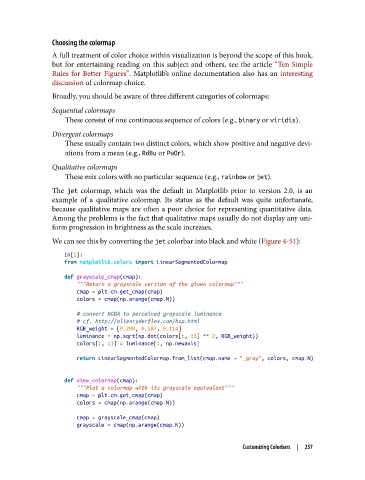
               We can see this by converting the jet colorbar into black and white (Figure 4-51):
                   In[5]:
                   from matplotlib.colors import LinearSegmentedColormap
                   def grayscale_cmap(cmap):
                       """Return a grayscale version of the given colormap"""
                       cmap = plt.cm.get_cmap(cmap)
                       colors = cmap(np.arange(cmap.N))

                       # convert RGBA to perceived grayscale luminance
                       # cf. http://alienryderflex.com/hsp.html
                       RGB_weight = [0.299, 0.587, 0.114]
                       luminance = np.sqrt(np.dot(colors[:, :3] ** 2, RGB_weight))
                       colors[:, :3] = luminance[:, np.newaxis]
                       return LinearSegmentedColormap.from_list(cmap.name + "_gray", colors, cmap.N)


                   def view_colormap(cmap):
                       """Plot a colormap with its grayscale equivalent"""
                       cmap = plt.cm.get_cmap(cmap)
                       colors = cmap(np.arange(cmap.N))
                       cmap = grayscale_cmap(cmap)
                       grayscale = cmap(np.arange(cmap.N))

                                                                    Customizing Colorbars  |  257

