


Page 281 - Python Data Science Handbook
P. 281
In[1]: %matplotlib inline
                          import matplotlib.pyplot as plt
                          plt.style.use('seaborn-white')
                          import numpy as np
               plt.axes: Subplots by Hand

               The most basic method of creating an axes is to use the plt.axes function. As we’ve
               seen previously, by default this creates a standard axes object that fills the entire fig‐
               ure. plt.axes  also takes an optional argument that is a list of four numbers in the
               figure coordinate system. These numbers represent [bottom, left, width,
               height] in the figure coordinate system, which ranges from 0 at the bottom left of the
               figure to 1 at the top right of the figure.
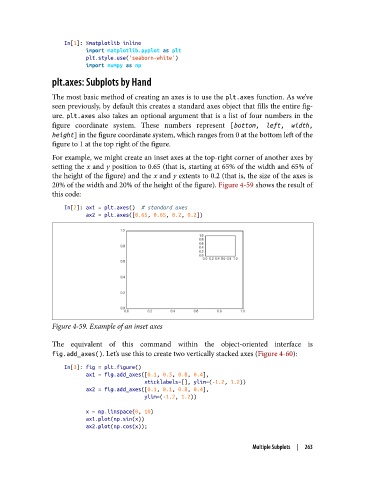
               For example, we might create an inset axes at the top-right corner of another axes by
               setting the x and y position to 0.65 (that is, starting at 65% of the width and 65% of
               the height of the figure) and the x and y extents to 0.2 (that is, the size of the axes is
               20% of the width and 20% of the height of the figure). Figure 4-59 shows the result of
               this code:

                   In[2]: ax1 = plt.axes()  # standard axes
                          ax2 = plt.axes([0.65, 0.65, 0.2, 0.2])


               Figure 4-59. Example of an inset axes

               The equivalent of this command within the object-oriented interface is
               fig.add_axes(). Let’s use this to create two vertically stacked axes (Figure 4-60):

                   In[3]: fig = plt.figure()
                          ax1 = fig.add_axes([0.1, 0.5, 0.8, 0.4],
                                             xticklabels=[], ylim=(-1.2, 1.2))
                          ax2 = fig.add_axes([0.1, 0.1, 0.8, 0.4],
                                             ylim=(-1.2, 1.2))
                          x = np.linspace(0, 10)
                          ax1.plot(np.sin(x))
                          ax2.plot(np.cos(x));

                                                                       Multiple Subplots  |  263

