


Page 285 - Python Data Science Handbook
P. 285
itself; it is simply a convenient interface that is recognized by the plt.subplot()
               command. For example, a gridspec for a grid of two rows and three columns with
               some specified width and height space looks like this:
                   In[8]: grid = plt.GridSpec(2, 3, wspace=0.4, hspace=0.3)
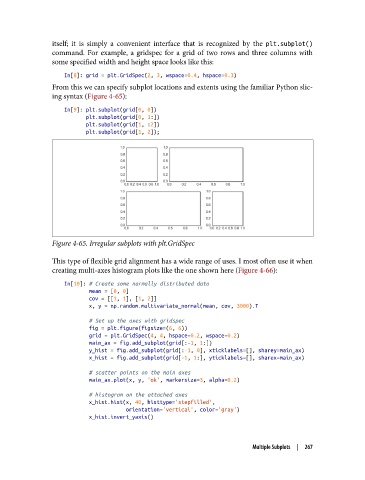
               From this we can specify subplot locations and extents using the familiar Python slic‐
               ing syntax (Figure 4-65):
                   In[9]: plt.subplot(grid[0, 0])
                          plt.subplot(grid[0, 1:])
                          plt.subplot(grid[1, :2])
                          plt.subplot(grid[1, 2]);


               Figure 4-65. Irregular subplots with plt.GridSpec

               This type of flexible grid alignment has a wide range of uses. I most often use it when
               creating multi-axes histogram plots like the one shown here (Figure 4-66):
                   In[10]: # Create some normally distributed data
                           mean = [0, 0]
                           cov = [[1, 1], [1, 2]]
                           x, y = np.random.multivariate_normal(mean, cov, 3000).T

                           # Set up the axes with gridspec
                           fig = plt.figure(figsize=(6, 6))
                           grid = plt.GridSpec(4, 4, hspace=0.2, wspace=0.2)
                           main_ax = fig.add_subplot(grid[:-1, 1:])
                           y_hist = fig.add_subplot(grid[:-1, 0], xticklabels=[], sharey=main_ax)
                           x_hist = fig.add_subplot(grid[-1, 1:], yticklabels=[], sharex=main_ax)

                           # scatter points on the main axes
                           main_ax.plot(x, y, 'ok', markersize=3, alpha=0.2)
                           # histogram on the attached axes
                           x_hist.hist(x, 40, histtype='stepfilled',
                                       orientation='vertical', color='gray')
                           x_hist.invert_yaxis()


                                                                       Multiple Subplots  |  267

