


Page 331 - Python Data Science Handbook
P. 331
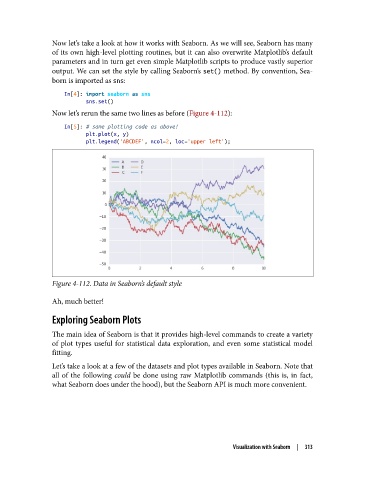
Now let’s take a look at how it works with Seaborn. As we will see, Seaborn has many
               of its own high-level plotting routines, but it can also overwrite Matplotlib’s default
               parameters and in turn get even simple Matplotlib scripts to produce vastly superior
               output. We can set the style by calling Seaborn’s set() method. By convention, Sea‐
               born is imported as sns:

                   In[4]: import seaborn as sns
                          sns.set()
               Now let’s rerun the same two lines as before (Figure 4-112):
                   In[5]: # same plotting code as above!
                          plt.plot(x, y)
                          plt.legend('ABCDEF', ncol=2, loc='upper left');


               Figure 4-112. Data in Seaborn’s default style

               Ah, much better!

               Exploring Seaborn Plots

               The main idea of Seaborn is that it provides high-level commands to create a variety
               of plot types useful for statistical data exploration, and even some statistical model
               fitting.
               Let’s take a look at a few of the datasets and plot types available in Seaborn. Note that
               all of the following could  be done using raw Matplotlib commands (this is, in fact,
               what Seaborn does under the hood), but the Seaborn API is much more convenient.


                                                                 Visualization with Seaborn  |  313

