


Page 392 - Python Data Science Handbook
P. 392
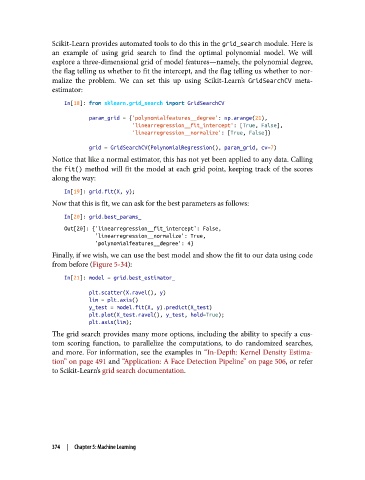
Scikit-Learn provides automated tools to do this in the grid_search module. Here is
               an example of using grid search to find the optimal polynomial model. We will
               explore a three-dimensional grid of model features—namely, the polynomial degree,
               the flag telling us whether to fit the intercept, and the flag telling us whether to nor‐
               malize the problem. We can set this up using Scikit-Learn’s GridSearchCV  meta-
               estimator:

                   In[18]: from sklearn.grid_search import GridSearchCV

                           param_grid = {'polynomialfeatures__degree': np.arange(21),
                                         'linearregression__fit_intercept': [True, False],
                                         'linearregression__normalize': [True, False]}

                           grid = GridSearchCV(PolynomialRegression(), param_grid, cv=7)
               Notice that like a normal estimator, this has not yet been applied to any data. Calling
               the fit()  method will fit the model at each grid point, keeping track of the scores
               along the way:
                   In[19]: grid.fit(X, y);
               Now that this is fit, we can ask for the best parameters as follows:

                   In[20]: grid.best_params_
                   Out[20]: {'linearregression__fit_intercept': False,
                             'linearregression__normalize': True,
                             'polynomialfeatures__degree': 4}
               Finally, if we wish, we can use the best model and show the fit to our data using code
               from before (Figure 5-34):
                   In[21]: model = grid.best_estimator_

                           plt.scatter(X.ravel(), y)
                           lim = plt.axis()
                           y_test = model.fit(X, y).predict(X_test)
                           plt.plot(X_test.ravel(), y_test, hold=True);
                           plt.axis(lim);
               The grid search provides many more options, including the ability to specify a cus‐
               tom scoring function, to parallelize the computations, to do randomized searches,
               and more. For information, see the examples in “In-Depth: Kernel Density Estima‐
               tion” on page 491 and “Application: A Face Detection Pipeline” on page 506, or refer
               to Scikit-Learn’s grid search documentation.


               374  |  Chapter 5: Machine Learning

